
Descript
⭐ FeaturedEdit video and audio like a document — transcript-based editing with AI voice cloning, captions, and studio-quality to
Pricing
FreemiumWhat is Descript?
Quick Verdict
Descript is the most accessible professional-grade video and podcast editing tool available for creators who want powerful AI features without a steep learning curve. Its transcript-based editing model means anyone comfortable with a word processor can produce polished video and audio content — no timeline expertise required. For podcasters, YouTubers, course creators, and video marketers, it removes the biggest friction points in post-production in one tool.
What Descript Does
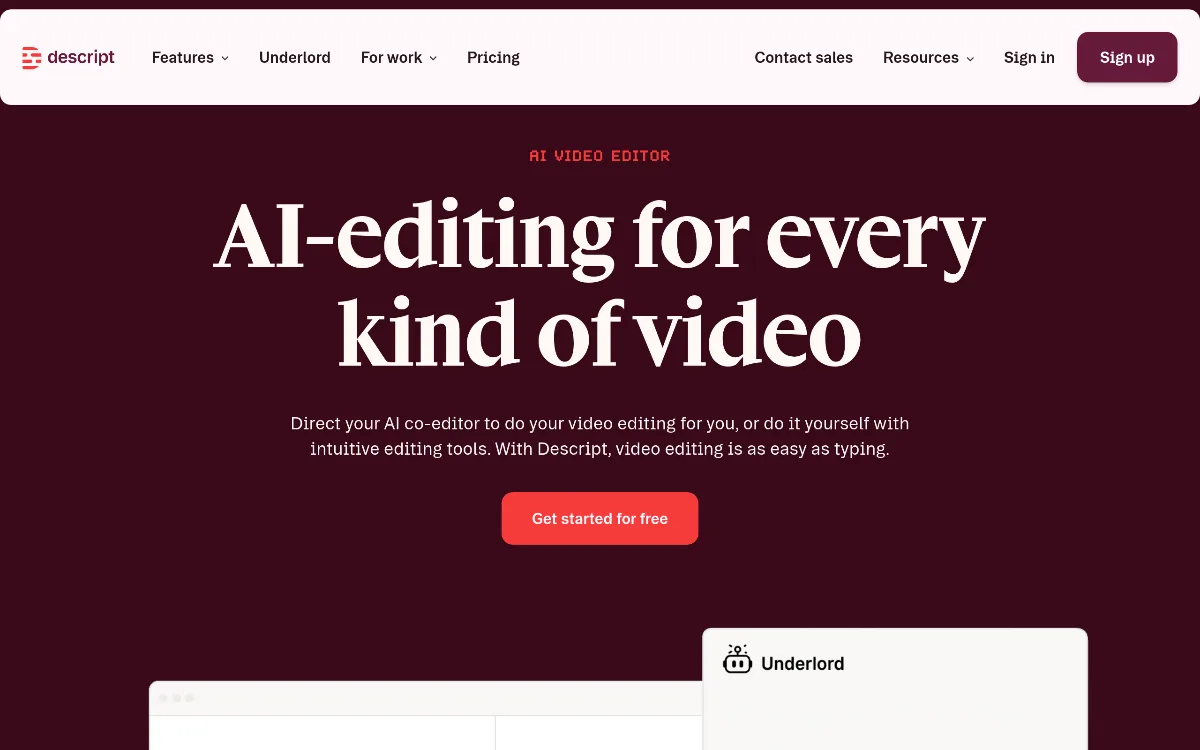
Descript is an all-in-one audio and video editor built around a deceptively simple idea: edit the transcript, and the media updates automatically. Upload or record a video or audio file, and Descript instantly transcribes it. From there, deleting a sentence from the text cuts that moment from the video. Rearranging paragraphs rearranges the footage. Adding text creates new audio via voice cloning.
On top of the core transcript-editing model, Descript layers a full AI feature suite: Studio Sound for background noise removal, Eye Contact correction to fix gaze direction in recordings, AI Green Screen for background removal, dynamic animated captions, voice cloning and text-to-speech (Overdub), dubbing and translation across 24 languages, AI avatars, highlight reel generation, and a content repurposing engine that converts finished recordings into blog posts, show notes, and social clips. More than 6 million creators and teams use it, making it one of the most widely adopted creator tools in this category.
Key Strengths
Transcript-based editing removes the timeline barrier: Traditional video editing requires fluency with non-linear timelines, keyframes, and multi-track logic. Descript collapses that complexity into a text document. Cutting filler words, tightening pacing, removing tangents — all done by selecting and deleting text. For non-editors producing content regularly, this is a fundamentally faster workflow that does not degrade with project complexity.
AI voice cloning with Overdub: Descript's Overdub feature lets users create a voice clone of themselves, then fix audio mistakes by simply typing the correction — the AI generates the replacement audio in the user's own voice. This eliminates the need to re-record for minor mistakes or script changes, a feature that saves meaningful time for anyone producing polished narrated content at regular cadence.
Studio Sound and Eye Contact AI tools: Studio Sound uses AI to remove background noise, room reverb, and audio imperfections from any recording — turning phone recordings or noisy room audio into broadcast-quality sound without external microphones or post-production plugins. Eye Contact automatically redirects gaze toward the camera even when the speaker is reading notes, making webcam recordings look professionally directed without reshooting.
Content repurposing via Underlord AI sidebar: Descript's Underlord AI engine goes beyond editing — it repurposes finished recordings into highlight reels, social clips, blog posts, show notes, and chapter markers automatically. For content teams producing a single long-form episode and needing to extract multiple derivative assets from it, this single feature can replace an entire downstream repurposing workflow.
Best For
- Podcasters who want to remove filler words, tighten pacing, add animated captions, and distribute show notes from a single post-production session without a dedicated audio engineer
- YouTubers and course creators producing talking-head or screen-recorded content who want to edit by transcript, fix mistakes with voice cloning, and publish faster without a complex NLE workflow
- Video marketers and social media teams who record long-form content and need to repurpose it automatically into short clips, captions, and written summaries for multiple platforms
- Remote and distributed teams using Descript for async video communication — recording, trimming, and sharing polished video messages without Zoom calls or heavy production overhead
- Uncommon use case: Researchers and journalists conducting recorded interviews who use Descript's transcript search, speaker labelling, and highlight reel tools to extract quotes, key moments, and source clips from long interview archives without manual scrubbing
Who Should Look Elsewhere
- If you need a professional-grade non-linear video editor with full color grading, effects compositing, and cinematic post-production workflows, DaVinci Resolve or Adobe Premiere Pro offer far deeper production capabilities than Descript's creator-focused toolset
- If async video messaging for team communication — rather than content production — is the primary need, Loom is purpose-built for that use case with AI summaries, Jira integration, and a simpler share-and-view workflow
- If your main requirement is live meeting transcription with action items and CRM integration, Fireflies.ai or Otter.ai are more purpose-built for real-time meeting intelligence than Descript's file-upload production model
Limitations
- Descript overhauled its pricing model in September 2025, shifting from transcription minutes to media minutes and introducing metered AI credits — AI features that were previously included now consume credits from a monthly allowance, with top-ups available at additional cost. This change received significant negative user reaction and represents a meaningful cost increase for heavy AI feature users compared to older plans
- Voice cloning (Overdub) quality, while impressive for corrections, can sound slightly synthetic for longer generated passages — it is best used for short fix-ups rather than full narration replacement, especially for voices with strong accents or distinctive cadence
- The free plan is limited in media minutes and AI credits, making it suitable only for light testing rather than regular content production — meaningful use requires a paid plan
- Descript is a cloud-dependent platform; large video projects require upload time and stable internet, making it less practical for high-resolution production work in low-bandwidth environments compared to desktop-native editors
Pricing Overview
Descript offers four tiers. The Free plan includes basic text-based editing and limited AI tool access with restricted media minutes and credits — sufficient for evaluation but not sustained production. The Hobbyist plan starts at $16/month (monthly) or $12/month billed annually, covering core editing, transcription, and a monthly AI credits allowance for standard features. The Creator plan costs $30/month (monthly) or $24/month annually and adds expanded AI credits, Overdub voice cloning, Studio Sound, Eye Contact, Green Screen, and content repurposing tools. The Business plan costs $40/month annually and adds team collaboration, higher credit allowances, and multi-user workspace features. Enterprise pricing is custom and includes SSO, unlimited cloud storage, a dedicated account representative, Descript Service Agreement, security review, and Overdub Enterprise with unlimited vocabulary. Additional AI credits beyond plan allocations are available as top-up purchases. For individual creators, Creator at $24/month annually is the recommended tier — it unlocks the AI features that define Descript's core value proposition. A special Education and Non-Profit plan is available at $5/user/month billed annually. Pricing last verified: April 2026.
Our Assessment
Descript's fundamental insight — that editing media through text is more intuitive than editing through a timeline — remains the strongest product concept in the creator tool category. After years of refinement, the workflow is genuinely smooth for its target audience: podcasters, YouTubers, educators, and marketers who need professional output without professional editor training. The AI feature set is broad and well-integrated; Studio Sound, Eye Contact, Overdub, and Underlord work together as a coherent production system rather than isolated novelties.
The September 2025 pricing restructure introduces a legitimate concern: the shift to metered AI credits means costs are less predictable for users who rely heavily on AI-powered features. Teams should budget for potential top-up purchases beyond base plan allowances if their workflow uses voice cloning, repurposing, or Studio Sound at volume. That said, for the right user — a solo creator or small team producing regular video or podcast content — Descript remains the most time-efficient editing environment available. The learning curve is minimal, the AI tools are meaningfully useful rather than cosmetic, and the all-in-one model eliminates the need for separate tools for recording, transcription, editing, captioning, and distribution.
Top Alternatives
- Adobe Premiere Pro — choose this for professional-grade cinematic video production with full color, effects, and timeline control beyond creator-focused editing
- Riverside.fm — choose this if high-quality remote recording with separate audio/video tracks for guests is the priority, complementing a separate editing workflow
- Castmagic — choose this if the primary need is content repurposing and AI-generated show notes, clips, and social posts from recorded audio without the full editing suite
Frequently Asked Questions
Q: Can Descript fix audio mistakes without re-recording?
Yes. Descript's Overdub feature creates an AI voice clone of the user and generates replacement audio for corrected text. It works best for short fixes — a mispronounced word, an updated figure, or a removed filler sentence — rather than full narration replacement.
Q: What changed with Descript's September 2025 pricing update?
Descript shifted from transcription-minute-based plans to a media-minute and AI-credits model. AI features that were previously included in plan tiers now consume monthly credits, with optional top-ups for additional usage. This increased costs for heavy AI feature users and generated significant community discussion about value.
Q: Is Descript suitable for complete beginners with no editing experience?
Yes. The transcript-based editing model requires no knowledge of timelines, keyframes, or audio engineering. If you can edit a Word document, you can make meaningful cuts and improvements in Descript. The AI tools further automate the most technically demanding steps like noise removal and filler word detection.
Q: Does Descript support team collaboration?
Yes, from the Business plan upward. Multiple users can edit shared projects, leave comments, and collaborate in real time. Enterprise adds SSO and advanced admin controls for larger organisations managing shared content libraries.
Last reviewed: April 2026. Features and pricing are subject to change — always verify on the official website.
Screenshots
 1/1
1/1Key Features
Pricing Plans
Free
$0 (limited media minutes and AI credits)
Hobbyist
$16/mo or $12/mo (annual)
Creator
$30/mo or $24/mo (annual)
Business
$40/mo (annual)
Education / Non-Profit
$5/user/mo (annual)
Enterprise
Custom
Top Descript Alternatives & Competitors
Explore the best similar tools and how they compare.
The enterprise-grade standard for turning text into professional AI video.
The world's most advanced AI video agent for long-form content and cinematic ads.

The professional OS for AI video, now featuring Sora 2 Pro and Kling 3.0.
Record once, and Loom AI handles titles, summaries, chapters, and filler removal automatically.
Turn text into professional videos with iStock b-roll in just three clicks.
Turn scripts into cinematic AI videos with the world's most realistic digital twins.
User Reviews
0 reviews · 0.0 avg rating
Be the first to review Descript
Help the community by sharing your honest experience with this tool.
Write a Review