
Loom AI
⭐ FeaturedRecord once, and Loom AI handles titles, summaries, chapters, and filler removal automatically.
Pricing
FreemiumWhat is Loom AI?
Quick Verdict
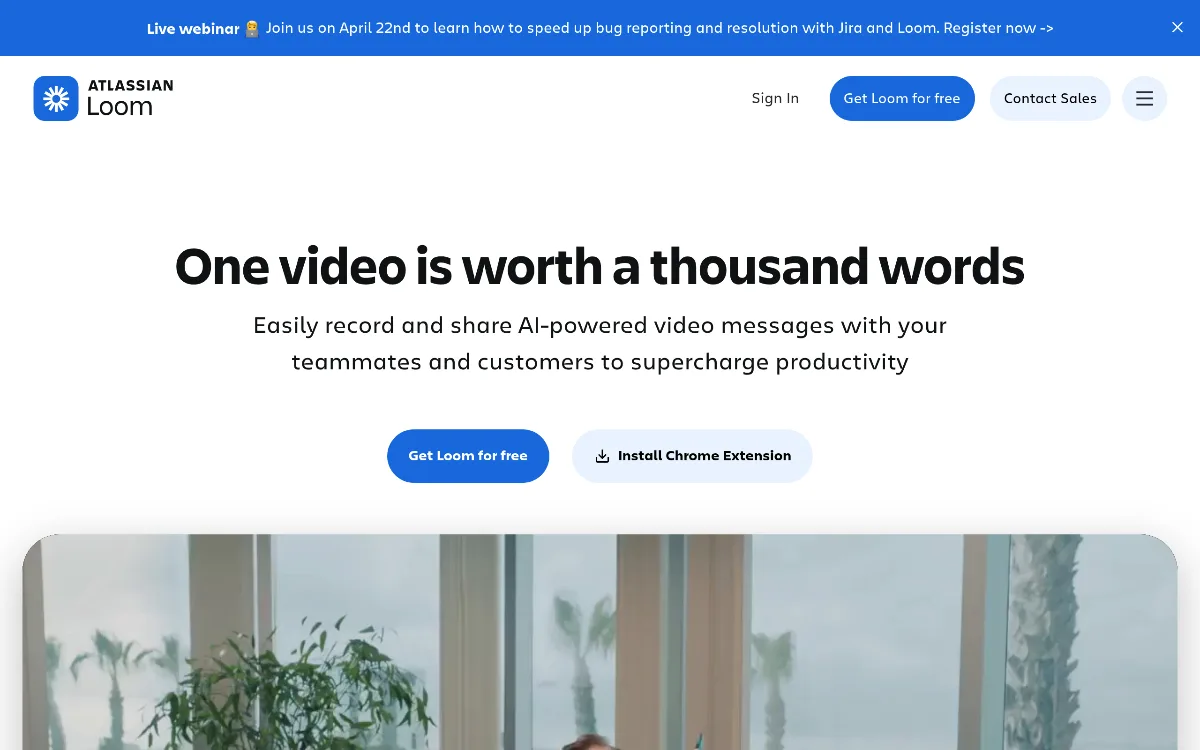
Loom AI is the go-to tool for teams that communicate through video — whether for async standups, bug reports, tutorials, or client walkthroughs. Its AI layer removes the post-recording busywork of titling, summarising, and editing, making it genuinely faster to send polished video messages at work. Now fully part of the Atlassian ecosystem, it fits naturally into teams already using Jira and Confluence.
What Loom AI Does
Loom is an asynchronous video messaging platform that lets users record their screen, camera, or both, and instantly share the result via a link. The AI layer sits on top of the recording workflow — automatically generating titles, summaries, chapters, and calls-to-action right after you stop recording, without any manual editing required.
Beyond enhancements, Loom AI can transform a video into a text document, a Jira or Linear issue, an email, or a meeting note synced to Confluence. This makes it more than a screen recorder — it functions as a communication layer that bridges spoken walkthroughs and structured written workflows. It supports over 50 languages via AI-powered transcription.
Key Strengths
Automatic video polish with zero editing: After every recording, Loom AI instantly generates a contextual title, summary, and chapter breakdown — 67% of users never need to manually edit the auto-generated title. Filler word and silence removal further clean up audio without any post-production work, saving significant time for regular video communicators.
AI Workflows for structured output: Loom AI can convert a recorded video directly into a Jira ticket, bug report, text document, or email. This is a meaningful differentiator for engineering and product teams — a developer can record a bug walkthrough and have a pre-filled Jira issue ready to submit in seconds, without retyping what they just explained on screen.
Deep Atlassian integration: Since the acquisition, Loom is natively embedded in the Atlassian Cloud platform. Meeting recordings auto-send notes to participants and can be linked directly to Confluence pages or Jira issues. For teams already in the Atlassian stack, this is a genuine workflow accelerator — not a bolt-on integration.
AI Audio Variables for personalised video: A standout feature is AI Audio Variables, which lets users replace a word or name in a video's audio with AI-generated voice trained on the existing recording. Import a CSV of names and Loom creates a personalised video for each recipient — a powerful use case for sales outreach and customer onboarding at scale.
Best For
-
>Engineering and product teams who need to communicate bug reports, code reviews, and feature walkthroughs without scheduling synchronous meetings
>Remote and async-first teams replacing lengthy Slack threads or emails with quick screen recordings that auto-generate summaries for viewers who cannot watch in full
>Sales teams using AI Audio Variables to send personalised video messages to prospects at scale without re-recording each one
>Customer success managers creating onboarding tutorials or support walkthroughs with auto-generated chapters so clients can jump to relevant sections
>Uncommon use case: Managers running performance or project retrospectives — recording a screen walkthrough of data, then using AI Workflows to auto-generate a structured written summary linked directly to a Confluence page for team reference
Who Should Look Elsewhere
-
>If you need heavy video editing, transitions, captions design, or B-roll production, a dedicated tool like Camtasia or Descript offers far deeper editing capabilities than Loom's trim-and-stitch toolset
>If your team is not in the Atlassian ecosystem and you want real-time meeting transcription with action items, Otter.ai or Fireflies.ai are purpose-built for live meeting intelligence rather than async video messaging
>If budget is a constraint and your use case is basic screen recording without AI features, free tools like OBS Studio or Screencastify cover the fundamentals at no cost
Limitations
-
>AI features — including filler word removal, silence removal, auto-summaries, chapters, and AI Workflows — are locked behind the Business + AI plan at $20/user/month (annual); the standard Business plan at $12.50/user/month does not include any AI capabilities
>The Starter (free) plan limits recordings to 5 minutes per video and caps storage, making it unsuitable for longer technical walkthroughs or large team libraries
>AI Audio Variables and personalised video generation, while powerful, require careful review — AI-generated voice replacements may not perfectly match the original speaker's tone or cadence in all cases
>Enterprise plan pricing is fully custom with no published baseline, requiring a sales conversation even for mid-sized teams who want SSO, SCIM, or Salesforce integration
Pricing Overview
Loom offers four plans. The Starter plan is free and includes up to 25 creators, 5-minute recording limit per video, and basic screen and camera recording without AI features. The Business plan costs $12.50/user/month (billed annually) and removes recording length and storage caps, adds custom branding, trim, and stitch — but no AI. The Business + AI plan costs $20/user/month (billed annually) or $24/user/month (monthly), and unlocks the full AI suite: filler word removal, silence removal, auto-generated titles, summaries, chapters, transcript-based editing, and AI Workflows for Jira and document generation. Enterprise pricing is custom and adds SSO, SCIM, advanced content privacy, custom data retention, Zoom and Salesforce integrations, and dedicated onboarding support. For most professional teams, Business + AI at $20/user/month is the meaningful tier — everything below it lacks the AI features that define Loom's core value proposition. Pricing last verified: April 2026.
Our Assessment
Loom AI earns its place as the default async video tool for knowledge workers, primarily because its AI enhancements solve the real friction point: the time spent packaging a recording after you stop. Auto-generated titles, summaries, and chapters are not novelties — they are the difference between a video that gets watched and one that gets skipped. The 73% of users who find AI Suite extremely valuable in their workflow is a credible signal, not a marketing stat.
The Atlassian integration deepens its value for engineering and product teams specifically, turning a video message into a living piece of documentation linked to Jira issues and Confluence pages. Where it falls short is price segmentation — the jump from free to AI-capable requires committing to a $20/user/month plan, with no middle ground. For small teams on tight budgets, that barrier is real. But for teams already invested in Atlassian tools and async communication habits, Loom AI at $20/user/month delivers clear, measurable time savings that justify the cost quickly.
Top Alternatives
-
>Descript — choose this if transcript-based video editing with studio-quality tools is the priority, rather than quick async messaging
>Fireflies.ai — choose this for live meeting transcription, action item tracking, and CRM integration focused on real-time calls rather than async recordings
>Scribe — choose this if the goal is creating step-by-step written guides from screen recordings rather than shareable video messages
Frequently Asked Questions
Q: Do you need the Business + AI plan to access Loom's AI features?
Yes. All AI features — including filler word removal, silence removal, auto-generated titles, summaries, chapters, and AI Workflows — require the Business + AI plan at $20/user/month (annual). The standard Business plan and free Starter plan do not include any AI capabilities.
Q: Can Loom AI turn a video into a Jira ticket automatically?
Yes. The AI Workflows feature can convert a recorded video into a structured Jira or Linear issue, a text document, or an email. This is particularly useful for bug reporting — record a screen walkthrough and submit a pre-filled ticket without retyping the issue description.
Q: How does Loom AI handle multilingual teams?
Loom AI supports transcription and AI-generated enhancements in over 50 languages, making it viable for globally distributed teams. Transcripts, summaries, and chapters are generated in the detected language of the recording.
Q: Is Loom AI part of Atlassian now?
Yes. Atlassian acquired Loom and it is now fully integrated into the Atlassian Cloud platform. This means Loom works natively with Jira, Confluence, and other Atlassian products — recordings can be embedded, linked, and synced automatically across the suite.
Last reviewed: April 2026. Features and pricing are subject to change — always verify on the official website.
Screenshots
 1/1
1/1Key Features
Pricing Plans
Starter
Free (5 min recording limit, up to 25 creators)
Business
$12.50/user/mo (annual) — no AI features
Business + AI
$20/user/mo (annual) or $24/user/mo (monthly)
Enterprise
Custom
Top Loom AI Alternatives & Competitors
Explore the best similar tools and how they compare.
The enterprise-grade standard for turning text into professional AI video.
The world's most advanced AI video agent for long-form content and cinematic ads.

The professional OS for AI video, now featuring Sora 2 Pro and Kling 3.0.
Turn text into professional videos with iStock b-roll in just three clicks.
Edit video and audio like a document — transcript-based editing with AI voice cloning, captions, and studio-quality to
Turn scripts into cinematic AI videos with the world's most realistic digital twins.
User Reviews
0 reviews · 0.0 avg rating
Be the first to review Loom AI
Help the community by sharing your honest experience with this tool.
Write a Review