
Synthesia
The enterprise-grade standard for turning text into professional AI video.
What is Synthesia?
Is This Tool Right For You?
✓ You need to produce high volumes of corporate training or onboarding videos without hiring a film crew.
✓ You manage a global team and need to localize content into 120+ languages instantly.
✓ You want to turn existing PDFs, slide decks, or text documents into video format with minimal effort.
✓ You have a consistent need for 'talking head' style videos where a professional presenter is required.
✗ You are looking to create high-emotion, high-conversion sales ads that require nuanced human acting.
✗ You need a tool for complex cinematic editing or creative storytelling beyond a presenter format.
Quick Verdict
In 2026, Synthesia remains the undisputed heavyweight champion of the enterprise AI video space. While the market has become crowded with cheaper alternatives, Synthesia’s move toward 'Expressive Avatars' and its robust AI Video Assistant keep it ahead for professional use. It is not the cheapest option—especially when you factor in the limited minutes on lower tiers—but for businesses looking to save up to 90% of their traditional production budget, the ROI is undeniable. If your goal is internal communication, compliance training, or global scaling, Synthesia is the most stable and feature-rich platform available today. However, for high-stakes marketing where 'human touch' and emotional persuasion are key, the AI still hasn't quite bridged the gap to 100% realism.
What Synthesia Does
Synthesia is an AI-driven video generation platform that replaces the traditional video production pipeline—cameras, actors, studios, and microphones—with a simple text-to-video interface. Instead of filming a human presenter, you select from a library of over 240 diverse AI avatars. You then type or paste your script, and the platform generates a high-definition video where the avatar speaks your words with near-perfect lip-syncing and natural-sounding intonation.
The platform has evolved significantly by 2026, moving beyond simple 'talking heads' to include 'Expressive Avatars' that can gesture, nod, and behave like professional speakers. It also features a powerful AI Video Assistant that can ingest a PDF, a URL, or a PowerPoint deck and automatically storyboard a video, write the script, and select the appropriate avatar. This 'type-to-ship' workflow is designed specifically for teams that need to scale content production without scaling their headcount or budget.
Key Strengths
Next-Gen Expressive Avatars: Unlike the stiff, robotic avatars of early 2024, Synthesia’s 2026 lineup includes presenters that move naturally, use hand gestures to emphasize points, and exhibit facial micro-expressions. This significantly reduces the 'uncanny valley' effect that previously plagued AI video.
Seamless Global Localization: The platform supports over 120 languages and accents. With one-click translation and AI dubbing, you can create a video in English and instantly generate versions in Spanish, Mandarin, or French while maintaining the speaker’s natural voice profile and perfect lip-syncing.
AI Video Assistant: This feature is a massive time-saver for L&D professionals. By simply uploading a training manual or a link to a company wiki, the AI generates a structured video script and layout. It eliminates the 'blank page' problem and allows for rapid prototyping of educational content.
Enterprise-Grade Workflow & Compliance: With features like SCORM export for Learning Management Systems (LMS), SSO, and live team collaboration, Synthesia is built for large organizations. It’s trusted by 90% of the Fortune 100 because it fits into existing corporate security and production workflows.
Real Use Cases
L&D Manager scaling global training: A Learning and Development lead at a multinational corporation uses Synthesia to turn a 50-page compliance manual into a series of 2-minute interactive videos, localized for offices in 15 different countries without ever booking a recording studio.
Customer Success Lead creating help docs: Instead of sending long, boring text emails, the CS lead uses Synthesia to create personalized 'how-to' video snippets for new features, improving user retention and reducing support tickets.
Marketing Team running localized campaigns: A growth marketing team generates dozens of short explainer videos for different regional markets, using the same script but swapping avatars and languages to match local demographics.
HR Director managing onboarding: The HR team creates a standardized onboarding video series that features an AI avatar of the actual CEO (via voice and face cloning), ensuring every new hire gets a consistent, professional welcome message.
Internal Comms Specialist: A specialist uses the AI Video Assistant to turn weekly text-based company newsletters into engaging video updates that employees actually watch on the company Slack or Intranet.
Best For
- Corporate Training Teams: Those who need to update content frequently and cannot afford to re-shoot videos every time a policy changes.
- Global Enterprises: Companies that need to communicate across multiple languages and cultures with a consistent brand voice.
- Content Creators: Individuals who want to produce high-quality 'talking head' content for YouTube or LinkedIn without investing in expensive camera gear.
- Sales Enablement: Teams that need to produce quick, professional product explainers for prospects at scale.
Who Should Look Elsewhere
- High-End Commercial Producers: If your goal is a Super Bowl-style ad or a brand film that requires deep emotional acting, traditional filming is still superior. Synthesia struggles with extreme emotions like crying or intense excitement.
- Budget-Conscious Hobbyists: While there is a free tier, the paid plans start at a price point that might be steep for someone just looking to make one video a year. HeyGen or Elai might offer different credit structures that suit occasional users better.
- Cinematic Storytellers: If you need complex 3D environments, camera movements, and multiple interacting characters in a scene, Synthesia's presenter-focused format will feel too restrictive.
Limitations
Strict Usage Limits: Even on the Starter plan ($18/mo), you are limited to 10 minutes of video per month. For power users, these minutes disappear quickly, forcing an upgrade to the much more expensive Creator plan.
Emotional Range: While 'expressive' avatars are a huge leap forward, they still cannot replicate the raw, authentic emotion of a human actor in a high-stakes scenario. They are best suited for 'professional' and 'informative' tones.
Implementation Costs: For enterprise users, the true cost of ownership can be much higher than the monthly sub. Data suggests implementation and training can add between $500 to $2,000 per user in hidden costs.
Credit System Complexity: The transition to a 'shared credit' system for all AI features (dubbing, generation, etc.) can make it difficult to predict monthly costs if your team uses a mix of different features frequently.
Pricing Overview
Synthesia’s pricing in 2026 is tiered based on the volume of video minutes and the level of customization required. Note that annual billing typically offers a 17% to 25% discount over monthly rates.
- Free Plan: $0/mo. Includes 3 to 10 minutes of video per month (depending on current promotion) and access to basic ready-made avatars. Great for experimenting but includes a Synthesia logo watermark.
- Starter Plan: ~$18/mo (billed annually) or $22-$29/mo (billed monthly). Includes 10 minutes of video per month, 90+ AI avatars, 120+ languages, and the ability to remove the Synthesia logo.
- Creator Plan: ~$67/mo (billed annually) or $69/mo (billed monthly). Includes 30 minutes of video per month, access to custom avatars, a brand kit, and advanced features like the AI Video Assistant.
- Enterprise Plan: Custom Pricing. Offers unlimited videos, custom avatar creation, API access, SSO, and premium support. Implementation fees of $500-$2,000 per user may apply.
Pricing last verified: March 2026.
Our Assessment
Synthesia is the gold standard for a reason. In our 2026 evaluation, it continues to lead the pack because it focuses on the needs of the 'boring' but essential corporate world. While other AI tools focus on viral TikTok filters or weird AI art, Synthesia has spent its $200M+ in funding on making avatars look like people you would actually see in a boardroom.
The value for money is exceptional if you are currently spending thousands on videographers and editors. A single 10-minute video created in Synthesia for $22 can replace a production that would traditionally cost $2,000. However, the ease of use is the real winner here. The AI Video Assistant is a game-changer; the ability to turn a dry PDF into a script and then into a polished video in under 10 minutes is something that felt like science fiction just a few years ago.
The main drawback remains the 'minute' cap. For a tool that encourages 'scaling,' the 10-minute limit on the Starter plan feels very restrictive. You have to be strategic with your credits. But for any team serious about global education and internal communication, Synthesia is the most robust, secure, and high-quality choice on the market in 2026. It has successfully navigated the transition from a 'cool demo' to a mission-critical enterprise tool.
Top Alternatives
HeyGen — Choose HeyGen when you need more creative control over avatar outfits and slightly more aggressive marketing features.
Elai.io — Choose Elai when you are on a tighter budget and need a wider variety of 'e-learning' specific templates.
Colossyan — Choose Colossyan when you specifically need 'scenario-based' training where multiple avatars interact in one scene.
Frequently Asked Questions
Q: Can I create an AI avatar of myself on Synthesia?
Yes, but this feature is generally reserved for the Creator and Enterprise plans. You can record a few minutes of yourself, and Synthesia will create a 'Personal Avatar' that mimics your likeness and voice, allowing you to 'film' new videos just by typing.
Q: Does Synthesia work with my existing LMS?
Absolutely. Synthesia supports SCORM exports, which is the industry standard for Learning Management Systems. This makes it easy to drop your AI-generated videos directly into platforms like Workday, Cornerstone, or Moodle.
Q: How do 'credits' work in 2026?
Credits are the shared currency for all usage-based features. While your plan defines your 'video minutes,' other features like AI dubbing or voice cloning also draw from a common pool of credits. 1,200 credits typically equate to about 10 minutes of video.
Q: Is the AI Video Assistant available on all plans?
The AI Video Assistant, which converts PDFs and URLs into videos, is primarily a feature of the Creator and Enterprise plans. Basic users have limited access to the assistant for simple script generation.
Q: Can I use Synthesia for YouTube ads?
Yes, you can, but be aware that for high-conversion sales ads, some users still find the avatars a bit too 'perfect.' For educational or 'how-to' style YouTube content, however, it is incredibly effective and widely used.
Last reviewed: March 2026. Features and pricing are subject to change — always verify on the official website.
Screenshots
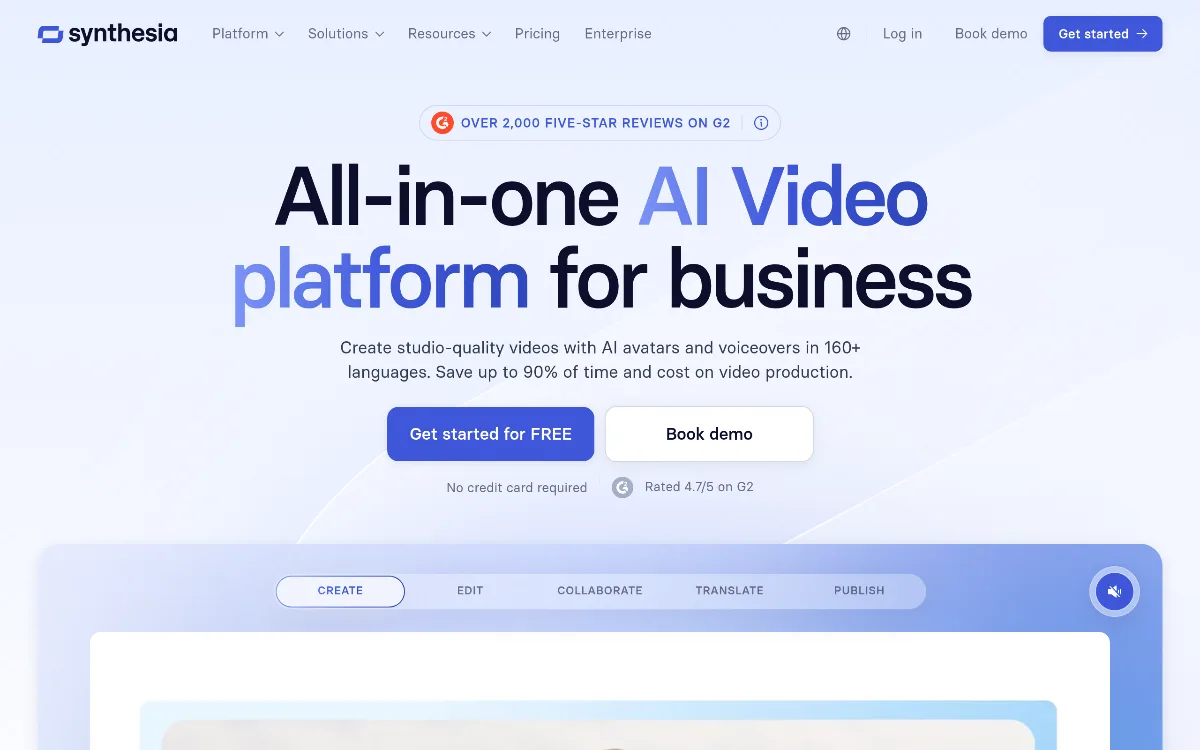 1/1
1/1Key Features
Pricing Plans
Free
$0
Starter
$18/mo (Annual)
Creator
$67/mo (Annual)
Enterprise
Custom
Top Synthesia Alternatives & Competitors
Explore the best similar tools and how they compare.
The world's most advanced AI video agent for long-form content and cinematic ads.

The professional OS for AI video, now featuring Sora 2 Pro and Kling 3.0.
Record once, and Loom AI handles titles, summaries, chapters, and filler removal automatically.
Turn text into professional videos with iStock b-roll in just three clicks.
Edit video and audio like a document — transcript-based editing with AI voice cloning, captions, and studio-quality to
Turn scripts into cinematic AI videos with the world's most realistic digital twins.
User Reviews
0 reviews · 0.0 avg rating
Be the first to review Synthesia
Help the community by sharing your honest experience with this tool.
Write a Review