
Videogen
Turn text into professional videos with iStock b-roll in just three clicks.
What is Videogen?
Is This Tool Right For You?
Finding the right AI video generator in 2026 depends entirely on your production volume and your tolerance for manual editing. Here is the quick breakdown of who should sign up for Videogen today:
- ✅ Faceless Content Creators: If you run a YouTube Shorts or TikTok channel and need high-quality b-roll without filming yourself, this is a top-tier choice.
- ✅ Social Media Managers: Perfect for turning blog posts or marketing copy into engaging video ads in under five minutes.
- ✅ Corporate Training Teams: Ideal for L&D professionals (like those at Google) who need to scale educational content quickly.
- ✅ Lean Startups: Great for founders who need professional-looking product explainers without hiring a full production crew.
- ❌ Cinematographers: If you need frame-by-frame control over lighting, camera angles, and high-end color grading, a traditional NLE like Premiere Pro is still necessary.
- ❌ Custom 3D Animators: Videogen excels at stock footage and AI generation, but it isn't a replacement for bespoke 3D character modeling or complex motion graphics.
Quick Verdict
Videogen has solidified its position in 2026 as the most efficient "text-to-publish" platform for creators who value speed over granular manual control. By integrating high-end stock libraries like iStock directly into an AI-driven workflow, it removes the most painful part of video editing: the hunt for relevant b-roll. While professional editors might find the automated transitions a bit rigid, the sheer speed—going from a raw idea to a polished video in three clicks—is unmatched for social media and marketing use cases. If you are looking to scale a faceless channel or produce daily marketing assets without a five-figure budget, Videogen is currently the gold standard for ROI.
What Videogen Does
At its core, Videogen is an AI-powered video production studio that lives entirely in your browser. It doesn't just "edit" video; it constructs it from scratch based on text prompts or existing articles. The workflow is designed to be remarkably hands-off. You provide a topic or a script, and the AI engine takes over the heavy lifting: it writes the final script, sources contextually relevant b-roll from a massive library of copyright-free assets (including iStock), generates a realistic voiceover, and syncs everything to a cohesive timeline.
The 2026 version of the tool features a rebuilt editor (version 3.2.0) that focuses on eliminating the lag typically associated with browser-based video tools. It utilizes structured workflows that guide users through specific content types, such as social media ads or educational explainers. Beyond just stock footage, Videogen now incorporates image-to-video generation, allowing you to animate static images into custom cinematic clips. This hybrid approach—combining curated stock with generative AI—ensures that your videos don't look like generic templates but feel like custom-made productions.
Key Strengths
Seamless Stock Integration: Unlike many competitors that force you to buy separate stock subscriptions, Videogen integrates iStock and Getty assets directly into the Pro plan. This means you have legal, high-definition footage ready to go without extra licensing headaches or watermarks.
Realistic Voiceover Engine: With over 200 AI voices spanning 50+ languages, the audio quality has moved past the "robotic" era. The voices include natural inflections and emotional range, making them suitable for professional presentations and high-traffic social media channels.
Speed and Efficiency: The "3-click" promise isn't just marketing fluff. For users who need to turn an article into a video, the summarization tool and automated b-roll matching can cut production time from eight hours to roughly ten minutes.
Collaborative Environment: The platform supports team workspaces with centralized billing and shareable project links. This makes it a viable tool for agencies where multiple stakeholders need to review or tweak a video before it goes live.
Real Use Cases
- YouTube Shorts Creator: An indie creator shipping three videos a day uses Videogen to turn trending news scripts into faceless videos with automated captions and high-energy b-roll.
- Marketing Manager: A team lead at a mid-sized SaaS company takes a successful blog post and uses the "Article to Video" feature to create a LinkedIn teaser video in minutes.
- HR & Learning Manager: A corporate trainer at a large organization (like Google) uses the AI voiceover and translation features to create a single training video and localize it into five different languages for global offices.
- E-commerce Founder: A Shopify store owner uses the image-to-video tool to animate product photos into cinematic social media ads that look like they were filmed in a studio.
- Real Estate Agent: A busy realtor uses the mobile-responsive editor to quickly whip up property walkthroughs with text overlays and professional narration while on the go.
Best For
- Faceless Content Channels: For those who want to build a brand without showing their face, Videogen’s stock matching and AI avatars are the perfect combination.
- Agencies on a Budget: Small marketing agencies that need to provide high-volume video content for clients without hiring a full-time editor.
- Educators and Speakers: Authors and speakers who want to repurpose their written content into visual formats for platforms like Instagram and TikTok.
- Non-Technical Users: Anyone who feels intimidated by the complexity of tools like After Effects or DaVinci Resolve.
Who Should Look Elsewhere
- High-End Commercial Filmmakers: If you are shooting on RED cameras and need a tool for complex color science, you should stick to DaVinci Resolve.
- Custom Character Animators: If you need specific 3D characters to perform complex, scripted actions, a dedicated animation suite like Vyond or Blender is a better fit.
- Advanced Motion Designers: Those who need to build custom UI animations from scratch will find Videogen’s templates too restrictive and should look at Adobe After Effects.
Limitations
Usage Limits on Lower Tiers: While the Pro plan offers "fair use" unlimited generations, the Free and Starter plans are quite restrictive (3 and 10 videos per month respectively), which can be a bottleneck for growing creators.
Editor Latency: Despite the 3.2.0 update's focus on performance, very long timelines with hundreds of assets can still experience some browser-based lag compared to desktop software.
AI Matching Accuracy: While the AI is generally smart, it sometimes picks b-roll that is slightly off-context, requiring the user to manually swap out 10-20% of the clips to get the perfect vibe.
Limited Advanced Audio Editing: You can't do deep multi-track audio mixing or complex sound design within the platform; it’s built for straightforward narration and background music.
Pricing Overview
Videogen offers a tiered pricing structure designed to scale with your production needs. Here is the breakdown for 2026:
- Free Plan: Includes 3 video generations per month and 3 article summarizations. You get access to basic AI voices and royalty-free libraries, but it is primarily intended as a trial.
- Starter Plan ($9/month billed yearly): Includes everything in the Free plan but increases your capacity to 10 video generations per month. Ideal for casual creators.
- Pro Plan ($12/month billed yearly): This is the flagship plan. It includes "Fair Use" unlimited AI generations, access to premium iStock downloads, 50GB of storage, and full commercial usage rights. It also includes 60 minutes of AI voiceover per month.
- Business Plan ($74/month): Designed for teams, this plan offers unlimited priority AI usage, team workspaces, and centralized billing for multiple seats.
Pricing last verified: February 2026.
Our Assessment
In the landscape of 2026 AI tools, Videogen stands out because it doesn't try to be everything to everyone. It focuses on one specific problem: the friction of video production. By integrating high-quality stock footage (iStock) directly into the generation process, it solves the "cheap look" that plagues many other AI video tools. The value for money is exceptional, particularly on the Pro plan at $12/month, which effectively replaces the cost of a stock footage subscription and a voiceover artist.
The ease of use is its strongest selling point. A user with zero technical background can produce a video that looks like it was made by a professional in a fraction of the time. While we would like to see even more granular control in the timeline editor, the recent 3.2.0 update shows that the team is listening to feedback regarding performance and mobile accessibility. For anyone in the business of "content," Videogen is no longer just an optional tool—it is a competitive necessity for staying relevant in an algorithmic world that demands high-frequency video posting.
Top Alternatives
- HeyGen — Choose HeyGen when you need high-end AI avatars with perfect lip-syncing for spokesperson-style videos.
- InVideo AI — Choose InVideo AI if you want a more traditional timeline editing experience alongside AI generation.
- Pictory — Choose Pictory if your primary focus is strictly turning long-form webinars and Zoom recordings into short social clips.
Frequently Asked Questions
Q: Can I use the videos I create for commercial purposes?
Yes, but you generally need to be on the Pro or Business plan to have full commercial usage rights. This allows you to use the videos for ads, client work, and monetized YouTube channels without legal concerns regarding the stock footage or music.
Q: Does Videogen support languages other than English?
Absolutely. Videogen supports over 50 languages and offers 200+ different AI voices. It also features one-click translation and localization, making it easy to adapt your content for a global audience.
Q: What is "Fair Use" unlimited generation?
On the Pro plan, "Fair Use" means you can generate as many videos as a typical human creator would reasonably need. It is designed to prevent bot abuse while ensuring that active creators don't have to worry about counting every single credit.
Q: Can I upload my own footage and voiceovers?
Yes. While the AI can source everything for you, you have the option to upload your own video clips, images, and audio recordings to personalize the final product.
Q: Is there a mobile app for Videogen?
As of 2026, Videogen is a web-based platform. However, the 3.2.0 update significantly improved mobile playback and editor responsiveness, meaning you can comfortably review and make light edits to your projects using a mobile browser.
Last reviewed: February 2026. Features and pricing are subject to change — always verify on the official website.
Screenshots
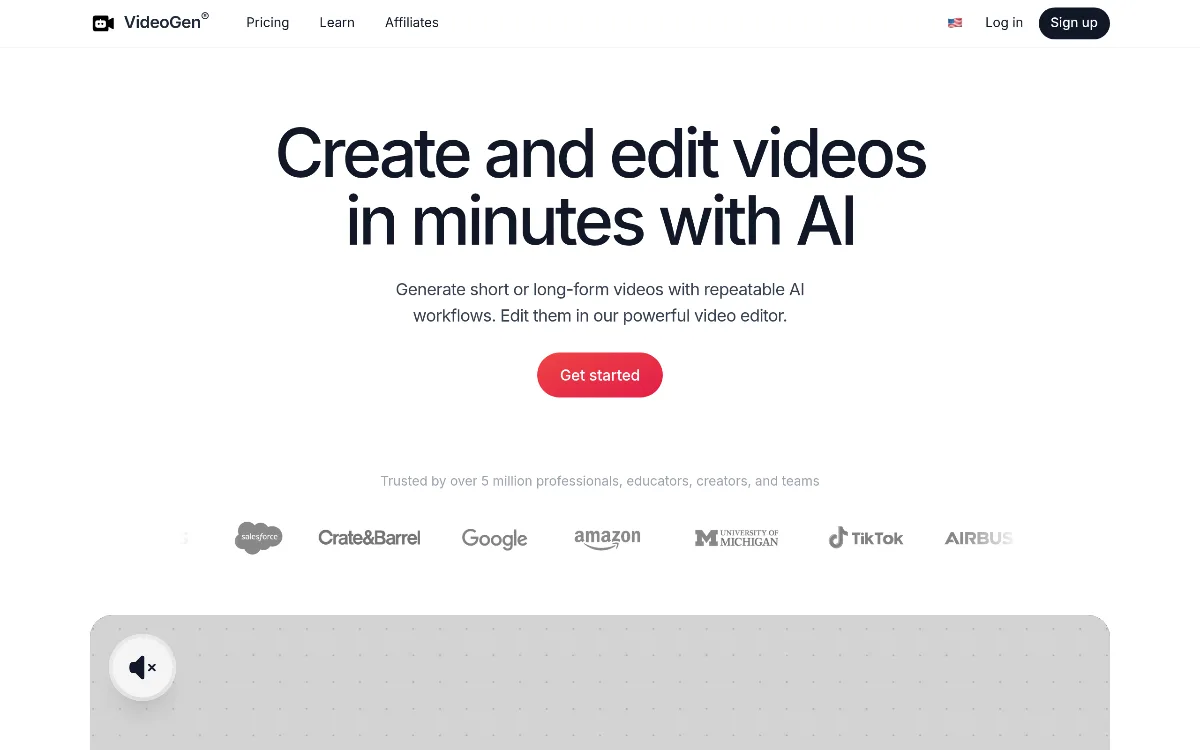 1/1
1/1Key Features
Pricing Plans
Free
$0
Starter
$9/mo (yearly)
Pro
$12/mo (yearly)
Business
$74/mo
Top Videogen Alternatives & Competitors
Explore the best similar tools and how they compare.
The enterprise-grade standard for turning text into professional AI video.
The world's most advanced AI video agent for long-form content and cinematic ads.

The professional OS for AI video, now featuring Sora 2 Pro and Kling 3.0.
Record once, and Loom AI handles titles, summaries, chapters, and filler removal automatically.
Edit video and audio like a document — transcript-based editing with AI voice cloning, captions, and studio-quality to
Turn scripts into cinematic AI videos with the world's most realistic digital twins.
User Reviews
0 reviews · 0.0 avg rating
Be the first to review Videogen
Help the community by sharing your honest experience with this tool.
Write a Review