
Tripo3D
The all-in-one AI workspace for rigged, textured, and game-ready 3D assets.
Pricing
FreemiumWhat is Tripo3D?
Is This Tool Right For You?
✓ You are an indie game developer who needs background props and assets quickly without spending weeks in Blender.
✓ You are a 3D printing enthusiast looking to turn 2D sketches or AI-generated images into printable STL files.
✓ You are a marketing professional needing 3D product visualizations for AR/VR campaigns but lack formal 3D training.
✓ You are a rapid prototyper who needs to visualize concepts in three dimensions within seconds rather than hours.
✗ You are a high-end character artist requiring production-grade, hand-sculpted topology for hero characters in AAA titles.
✗ You require offline software that works without an active internet connection or credit-based usage limits.
✗ You need precise CAD-level accuracy for mechanical engineering or architectural blueprints where every millimeter is critical.
Quick Verdict
Tripo3D is a powerhouse in the 2026 generative AI landscape, successfully bridging the gap between "cool tech demo" and "functional production tool." While many AI 3D generators produce messy, unusable geometry, Tripo3D focuses on the entire pipeline—offering auto-rigging, retopology, and PBR texturing in a single web-based workspace. For $11.94 per month (billed annually), it provides an incredible ROI for creators who need to ship fast. It won't replace a master sculptor for hero assets, but for everything else, it is arguably the most efficient AI 3D tool currently on the market.
What Tripo3D Does
Tripo3D is an all-in-one generative AI platform designed to democratize 3D content creation. At its core, it allows users to generate high-quality 3D models from three primary inputs: text prompts, single or multi-view images, and even simple doodles or sketches. Unlike earlier iterations of AI 3D tools that merely produced "point clouds" or messy voxels, Tripo3D utilizes its V3.0 Ultra engine to generate models with clean geometry and professional-grade PBR (Physically Based Rendering) materials.
The platform is built as a comprehensive workspace rather than a simple generator. Once a model is created, Tripo3D provides built-in tools for mesh segmentation (splitting models into logical parts), smart low-poly optimization for game engines, and automatic rigging for animation. It essentially takes the user from a 2D concept to a rigged, textured, and animated 3D asset in under five minutes. For developers, Tripo3D also offers a robust API, allowing for the integration of these generation capabilities directly into third-party applications, games, or e-commerce platforms.
Key Strengths
Comprehensive Pipeline Integration: Tripo3D stands out because it doesn't stop at generation. It includes automatic rigging, retopology, and 4K PBR texturing. This means a model generated in Tripo is actually ready to be dropped into Unity or Unreal Engine without the usual hours of manual cleanup that other AI tools require.
Extreme Generation Speed: The platform is optimized for velocity. It can produce a draft-quality model in as little as 8 seconds and a professional-grade, optimized asset in roughly 5 minutes. This makes it an ideal tool for brainstorming and rapid iteration during the pre-production phase of a project.
Advanced "Magic Brush" Editing: One of the most impressive features in the 2026 version is the Magic Brush. This allows users to perform precise local touch-ups on generated models. If the AI gets a specific detail wrong, you don't have to regenerate the whole thing; you can manually guide the refinement in specific areas.
Versatile Input Options: Whether you have a detailed text description, a single photograph, or a rough hand-drawn sketch, Tripo3D can interpret the data. The multi-view image support is particularly strong, allowing for much higher accuracy when you have photos of an object from different angles.
Real Use Cases
Indie Game Developer Shipping Features: A solo developer needs to populate a medieval tavern with dozens of unique chairs, mugs, and barrels. Instead of buying generic asset packs or modeling each one, they use Tripo3D's text-to-3D feature to generate unique props in minutes, ensuring their game has a custom look without the custom price tag.
Marketing Team Running AR Campaigns: A brand wants to launch an Augmented Reality experience where customers can see a new sneaker in their own living room. The team uploads photos of the shoe to Tripo3D, generates a high-quality 3D model with PBR textures, and exports it as a USDZ file for mobile browsers.
3D Printing Hobbyist: A tabletop gamer wants a custom miniature based on a character sketch they drew. They upload the sketch to Tripo3D, use the stylization tools to refine the look, and export an STL file ready for their resin printer.
Architectural Visualizer: An architect needs specific furniture pieces or decor items to fill a 3D room render. They use Tripo3D to quickly create specific, non-standard assets that aren't available in standard libraries, saving hours of searching or modeling.
Content Creator for Social Media: A YouTuber needs an animated 3D mascot for their intro video. They generate the character from a text prompt, use Tripo's auto-rigging feature to apply a walking animation, and export the FBX directly into their video editing suite.
Best For
- Game Developers: Best for creating environmental assets, props, and background characters with game-ready topology and low-poly options.
- E-commerce Brands: Ideal for turning product photography into interactive 3D viewers for websites.
- Prototypers & Designers: Perfect for those who need to move from a 2D concept to a 3D physical or digital prototype in a single afternoon.
- AR/VR Creators: Excellent for generating lightweight, textured assets that perform well in mobile and headset environments.
Who Should Look Elsewhere
AAA Hero Asset Artists: If you are creating the main protagonist for a cinematic masterpiece, you will likely find the AI's nuances lacking compared to a human artist using ZBrush or Maya. Autodesk Maya or ZBrush remain the industry standards for this level of detail.
Precision Engineers: If you need to design a mechanical part with 0.01mm tolerances for manufacturing, Tripo3D is not the tool. You should stick to Fusion 360 or SolidWorks, which are built for mathematical precision rather than visual representation.
Limitations
Credit-Based Constraints: Even on the Professional plan, you are limited to 3000 credits per month. For heavy users or studios running massive batch generations, these credits can disappear quickly, requiring additional purchases.
Mesh Fine-Tuning: While the "Magic Brush" is a great addition, the platform still lacks the granular vertex-by-vertex control found in dedicated 3D modeling software. You will often still need to do a final pass in Blender for complex assets.
Public Model Privacy: Users on the Basic (Free) plan must accept that their models are public and licensed under CC BY 4.0. If you are working on a confidential project, you are forced into the paid tier immediately.
History Retention: The Basic plan only saves your generation history for 1 day, which is extremely restrictive for casual users who might want to return to a project later in the week.
Pricing Overview
Tripo3D operates on a freemium model with clear distinctions between casual and professional use cases:
Basic Plan ($0/month):
• 300 credits monthly
• 1 concurrent task
• 1 trial model generation with Tripo v3.0 Ultra
• 1-day history record
• 20 models stored
• Public models (CC BY 4.0 license)
• Limited queue priority and downloads.
Professional Plan ($19.90/month or $11.94/month billed annually):
• 3000 credits monthly
• 10 concurrent tasks
• Full access to Tripo v3.0 Ultra
• Private models with commercial use availability
• Multi-view and batch generation capabilities
• Smart low-poly and part segmentation tools
• Top queue priority and 3 free retries per model.
Pricing last verified: March 2026.
Our Assessment
Tripo3D is a definitive leader in the 3D AI space as of 2026. What makes it special isn't just the quality of the initial mesh—though that has improved significantly with the V3.0 Ultra engine—but the ecosystem it provides. Most AI tools leave you with a "broken" model that requires hours of fixing. Tripo3D understands that a 3D model is useless if it isn't textured, rigged, or optimized for the target platform.
The value for money is exceptionally high, particularly for the annual Professional plan. At roughly $12 a month, the time saved on a single asset pays for the entire year's subscription. The ease of use is another major win; the interface is clean, and the "Magic Brush" feature makes the AI feel like a collaborator rather than a black box you just throw prompts at. For indie developers and marketing teams, this is a must-have tool in the creative stack. While it won't put professional character artists out of work, it will certainly make their "grunt work" of creating background assets obsolete.
Top Alternatives
Luma AI — Choose Luma AI when you need high-fidelity cinematic NeRFs or Gaussian Splats rather than mesh-based game assets.
Meshy.ai — Choose Meshy if you want a similar web-based workflow but prefer a different aesthetic style or texturing engine.
Rodin (Deemos) — Choose Rodin if you are looking for extremely high-fidelity character generation and are willing to pay a premium for it.
Frequently Asked Questions
Q: Can I use the models I generate for commercial projects?
Yes, but only if you are on the Professional plan. Models generated on the Basic plan are public and fall under the Creative Commons BY 4.0 license, which requires attribution and does not offer the same commercial protections.
Q: What file formats can I export from Tripo3D?
Tripo3D supports a wide range of industry-standard formats including USD, FBX, OBJ, STL, GLB, and 3MF. This makes it compatible with almost all major 3D software and game engines like Unity, Unreal Engine, and Blender.
Q: How long does it take to generate a model?
A basic draft can be generated in as little as 8 seconds. For a high-quality, professional-grade model with full PBR textures and optimized topology, the process typically takes around 5 minutes.
Q: Does Tripo3D support 3D printing?
Absolutely. With support for STL and 3MF formats, and a geometry engine that focuses on solid topology, many users utilize Tripo3D specifically for creating custom 3D printable models from 2D images.
Q: What is the benefit of the "Smart Low Poly" feature?
High-quality AI models often have millions of polygons, which can crash game engines or slow down mobile apps. The Smart Low Poly feature automatically reduces the poly count while maintaining the visual detail, making the asset "game-ready" instantly.
Last reviewed: March 2026. Features and pricing are subject to change — always verify on the official website.
Screenshots
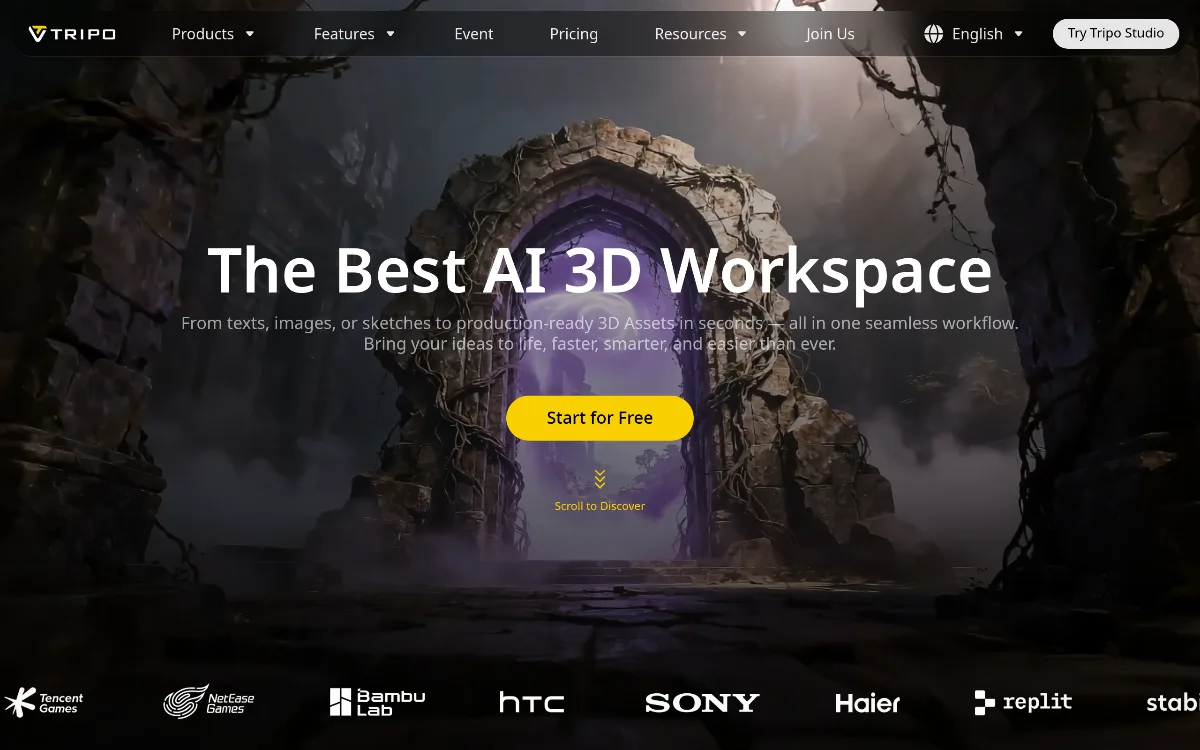 1/1
1/1Key Features
Pricing Plans
Basic
$0
Professional (Monthly)
$19.9/mo
Professional (Annual)
$11.94/mo
Top Tripo3D Alternatives & Competitors
Explore the best similar tools and how they compare.
Professional-grade 3D digital humans and markerless mocap from any camera.
User Reviews
0 reviews · 0.0 avg rating
Be the first to review Tripo3D
Help the community by sharing your honest experience with this tool.
Write a Review