
Luma AI
AI Agents for multimodal creative work, generating and coordinating media from concept to delivery.
What is Luma AI?
Is This Tool Right For You?
- ✔ You are a creative professional or team looking for a unified AI platform to generate and coordinate various media types (image, video, audio, text).
- ✔ You need advanced AI video generation capabilities, including realistic motion, HDR support, and storytelling features.
- ✔ You frequently work with complex multimodal projects and value an agent-based approach to creative workflows.
- ✔ You require commercial use rights for your AI-generated content and collaborative editing features.
- ✘ You are on a tight budget and need highly predictable, fixed costs for your AI generation, as Luma AI operates on a credit-based system.
- ✘ You are a casual user looking for a simple, free-tier tool for occasional, high-quality content creation without watermarks or usage limitations.
- ✘ You need robust team management features right now; the 'Team' plan is still listed as 'Coming soon' in 2026.
Quick Verdict
Luma AI stands out in 2026 as a sophisticated platform for AI-powered creative production, distinguishing itself with its 'AI Agents' approach to multimodal content. While its underlying models like RAY3.14 and UNI-1 deliver impressive video and image generation capabilities, the core strength lies in its ambition for unified, intelligent creative direction. Pricing is credit-based, which offers flexibility but can make cost prediction challenging for heavy users. The Free plan is quite restrictive, pushing serious creators towards paid tiers. It's a powerful tool for professionals and teams prioritizing cutting-edge AI generation and workflow coordination, but users seeking simple, predictable pricing or a fully fleshed-out team environment might need to consider its current stage of development.What Luma AI Does
Luma AI aims to revolutionize creative work by deploying "AI Agents" that generate, transform, and coordinate media across multiple modalities: image, video, audio, and text. At its core, Luma provides a suite of advanced generative AI models, such as UNI-1 for unified understanding and generation, and the RAY series (RAY3.14, RAY3) for producing high-quality, coherent, and even HDR video content. Beyond raw generation, Luma AI offers tools for refining and enhancing media, including video-to-video and image-to-video transformations, image modifications, and audio capabilities like text-to-speech, sound effects, and music generation. The platform is designed to manage creative projects from initial concept through to final delivery, envisioning a future where AI handles the intricate orchestration of diverse media assets to bring complex creative visions to life.Key Strengths
Advanced Multimodal Generation CapabilitiesLuma AI isn't just a video generator or an image generator; it's a comprehensive platform that handles image, video, audio, and text. This multimodal approach, powered by models like UNI-1, allows for a more integrated creative workflow where different media types can be generated and coordinated seamlessly by AI agents, offering a truly unified creative experience. Cutting-Edge Video Models for Realistic Output
The RAY series, including RAY3.14 and the reasoning video model RAY3, represents a significant strength. These models are capable of producing fast, coherent motion, ultra-realistic details, and logical event sequences. RAY3 even boasts being the world's first HDR model, making it particularly appealing for professionals who demand high fidelity and dynamic range in their video productions. Agent-Based Approach to Creative Workflows
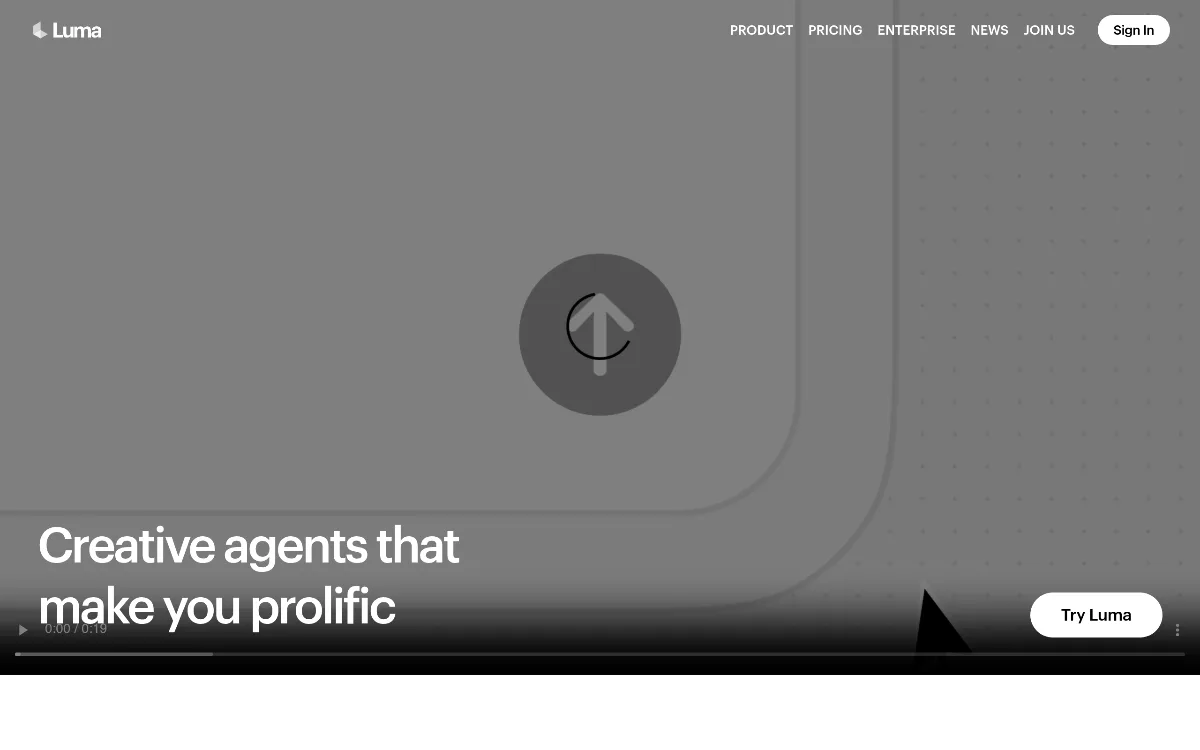
Luma AI's emphasis on "Creative agents that make you prolific" suggests a more intelligent and autonomous way of managing creative projects. These agents are designed to direct creative work from concept to delivery, generating, transforming, and coordinating media. This goes beyond simple prompt-to-output, aiming for a more hands-off, intelligent orchestration of complex creative tasks. Flexible Credit-Based Usage Across Diverse Tools
The platform provides a detailed credit system that allows users to pay for exactly what they use across a wide array of generation types – from various video models and resolutions (e.g., Ray3.14, Kling 2.6, Veo 3) to different image generation qualities (e.g., Uni-1, Seedream, Nano Banana Pro) and audio services (ElevenLabs integrations). This granular control over costs can be beneficial for projects with varying needs and budgets, ensuring resources are allocated efficiently.
Real Use Cases
- Marketing Agency Producing Ad Campaigns: A marketing team can use Luma AI's multimodal agents to generate cohesive video ads, accompanying social media images, and voiceovers or background music, all coordinated to a single campaign brief.
- Independent Filmmaker Creating Storyboards & Animatics: An indie filmmaker could leverage RAY3's storytelling capabilities to quickly visualize complex scenes, generate character concepts, and even produce draft animatics with coherent motion and logical sequences, significantly speeding up pre-production.
- Game Developer Prototyping Assets: A game developer might use Luma AI to rapidly create diverse 2D and 3D assets, textures, and sound effects for early-stage game prototypes, iterating on visual styles and environmental audio without extensive manual design.
- Digital Artist Experimenting with New Styles: A digital artist can use the various image generation models (Uni-1, Seedream, Nano Banana Pro) to explore new artistic directions, modify existing images, or remove backgrounds for compositions, pushing creative boundaries efficiently.
- E-commerce Business Generating Product Visuals: An e-commerce business could generate high-quality product images, create short promotional videos, and even produce custom sound effects for interactive product experiences, all with commercial use rights.
Best For
- Professional Content Creators: Those requiring advanced video, image, and audio generation with high fidelity and complex creative control.
- Creative Agencies: Teams that need to produce diverse media content efficiently and coordinate complex projects from concept to delivery.
- AI Enthusiasts & Researchers: Individuals interested in exploring cutting-edge multimodal AI models and agent-based creative workflows.
- Filmmakers & Animators: Users who can benefit from advanced video models offering realistic motion, HDR, and storytelling capabilities.
- Designers & Marketers: Professionals looking for tools to quickly prototype visuals, generate campaign assets, and iterate on creative ideas across different media types.
Who Should Look Elsewhere
- Budget-Conscious Hobbyists: If you're looking for a completely free or very low-cost tool for casual use, Luma AI's free plan is quite limited, and the credit system can quickly add up. Consider simpler, more accessible tools like Canva's AI features or free online image/video generators for basic needs.
- Teams Needing Immediate Collaboration Features: While Luma AI offers guest collaborator access on individual plans, its dedicated 'Team' plan with advanced management, analytics, and SSO is still 'Coming soon'. For established teams requiring robust collaboration and administrative controls right now, platforms like RunwayML or Adobe Creative Cloud might be better integrated.
- Users Seeking Simple, Fixed-Price Subscriptions: The credit-based system, while flexible, can be complex to manage and predict costs. If you prefer a clear, fixed monthly fee with unlimited or very generous usage, other AI generation platforms might offer more straightforward pricing models.
Limitations
- Complex Credit-Based Pricing: While flexible, the detailed credit system for every action (video resolution, image quality, audio type) can make it difficult for users to accurately predict monthly expenses, especially for varying project demands. The base credit allocation for the 'Plus' plan, against which 'Pro' and 'Ultra' multiply, isn't explicitly stated, adding a layer of ambiguity.
- Limited Free Plan Functionality: The free plan is quite restrictive, offering only limited monthly credits, lower priority processing, 720p image generations, and non-commercial use with watermarks. This significantly limits its utility for serious exploration or even light commercial projects without an upgrade.
- Team Features are 'Coming Soon': For larger organizations or growing teams, the lack of an immediately available 'Team' plan with dedicated management, user spend limits, usage analytics, and SSO is a notable drawback in 2026. This means scaling collaboration and administration might require workarounds on individual plans.
- Steep Learning Curve for Optimal Use: With multiple advanced models (RAY3.14, UNI-1, Kling, Veo, various image models) and the concept of 'AI Agents' coordinating work, new users might face a steeper learning curve to fully harness Luma AI's potential compared to more specialized, simpler generative tools.
- Reliance on Third-Party Audio Models: While Luma AI integrates audio generation, it openly lists services like ElevenLabs v3, ElevenLabs SFX v2, and ElevenLabs Music v1. This indicates a reliance on external providers for core audio capabilities, which might introduce dependencies or slight variations in user experience compared to fully in-house developed solutions.
Pricing Overview
Luma AI offers a freemium model with a free trial and several paid individual plans, along with business plans currently in development. All plans come with free trial credits, and users can save up to 20% by opting for yearly billing.Individual Plans (Monthly / Yearly Billed Annually):
- Plus: $30/month or $300 billed yearly. Includes Luma and third-party image and video models, edit access for guest collaborators, and commercial use. This serves as the baseline for credit usage.
- Pro: $90/month or $900 billed yearly. Includes everything in Plus, with 4x usage with the Luma Agents. This means you get four times the credits or processing priority compared to the Plus plan.
- Ultra: $300/month or $3,000 billed yearly. Includes everything in Pro, with 15x usage with the Luma Agents. This plan offers significantly higher capacity for heavy users.
- Team: Listed as "Coming soon." This plan will include everything from the regular plans, plus features for managing and adding team members, projects, team organization, team-wide sharing, usage analytics, user spend limits, and SSO (Single Sign-On).
- Enterprise: "Contact us" for pricing. This plan offers everything in the Team plan, plus enterprise commitments, dedicated education and training, and custom fine-tuning.
- Offers limited monthly credits, limited usage, 720p image generations, draft resolution, lower priority processing, and is for non-commercial use only. Content may also include watermarks.
Cost Per Video Generation:
- Ray3.14 (Text-to-Video, Image-to-Video):
- Draft: 4 credits/second
- 540p: 10 credits/second
- 720p: 20 credits/second
- 1080p: 80 credits/second
- Ray3.14 (Video-to-Video):
- Draft: 12 credits/second
- 540p: 24 credits/second
- 720p: 48 credits/second
- 1080p: 192 credits/second
- Ray3.14 HDR (Text-to-Video, Image-to-Video):
- Draft: 16 credits/second
- 540p: 40 credits/second
- 720p: 80 credits/second
- 1080p: 320 credits/second
- Ray3.14 HDR (Video-to-Video):
- Draft: 48 credits/second
- 540p: 96 credits/second
- 720p: 192 credits/second
- 1080p: 768 credits/second
- Kling 2.6 (Text-to-Video, Image-to-Video):
- 720p (no audio): 29 credits/second
- 720p (with audio): 58 credits/second
- 1080p (no audio): 29 credits/second
- 1080p (with audio): 58 credits/second
- Veo 3 (Text-to-Video, Image-to-Video):
- 720p (no audio): 140 credits/second
- 720p (with audio): 280 credits/second
- 1080p (no audio): 140 credits/second
- 1080p (with audio): 280 credits/second
- Veo 3.1 (Text-to-Video, Image-to-Video):
- 720p (no audio): 140 credits/second
- 720p (with audio): 280 credits/second
- 1080p (no audio): 140 credits/second
- 1080p (with audio): 280 credits/second
- Uni-1 (Create/Modify): 30 credits/image
- Seedream (Create): 1K (1 credit), 2K (2 credits), 4K (3 credits)
- Seedream (Modify): 2 credits/image
- Nano Banana (Create/Modify): 23 credits/image
- Nano Banana Pro (Create/Modify): 1K (23 credits), 2K (35 credits), 4K (53 credits)
- GPT Image 1.5 (Create/Modify): Low (4 credits), Medium (14 credits), High (60 credits)
- ElevenLabs v3 (text-to-speech): 21 credits/1000 characters
- ElevenLabs SFX v2 (sound effects): 25 credits/minute
- ElevenLabs Music v1 (music generation): 98 credits/minute
- Audio Isolation (vocal separation): 4 credits/minute
- Remove background: 1 credit/image
- Blend image: 1 credit/image
- Reframe image: 2 credits/image
- Reframe video: 32 credits/second
Our Assessment
Luma AI, in 2026, presents itself as an ambitious and technologically advanced platform geared towards the future of creative work. Its vision of "AI Agents for Creative Work" that can generate, understand, and operate across image, video, audio, and text is genuinely compelling. The quality of its core generative models, especially for video with the RAY series, is a significant draw. The ability to produce coherent motion, ultra-realistic details, and even HDR video sets it apart from many competitors focusing on single modalities or less sophisticated outputs. For professional creators and agencies pushing the boundaries of what AI can do, Luma AI offers powerful tools to bring complex visions to life.Value for money is a nuanced discussion with Luma AI. The credit-based system, while offering granular control, can make cost prediction tricky. Users on the Plus plan get a baseline of "usage," which then multiplies for Pro (4x) and Ultra (15x) plans. This means heavy users might find the Ultra plan a better value due to the proportional increase in capacity. However, if your usage is inconsistent or difficult to estimate, the per-second/per-image credit costs can add up quickly. The lack of clarity on the exact credit allocation for the Plus plan is a minor but present friction point.
Ease of use will depend heavily on the user's familiarity with generative AI and complex creative workflows. While the concept of AI agents simplifying the process is attractive, mastering the various models, resolutions, and credit implications might require a dedicated learning phase. It's likely more intuitive for experienced professionals than for casual users. The free plan, unfortunately, is too restrictive for meaningful exploration, nudging potential users towards a paid commitment fairly quickly.
Feature depth is undeniably strong. The range of video models (RAY3.14, Kling 2.6, Veo 3/3.1), image models (Uni-1, Seedream, Nano Banana, GPT Image 1.5), and integrated audio capabilities (ElevenLabs) covers a vast spectrum of creative needs. The inclusion of utilities like background removal and image/video reframing further enhances its practical utility. However, the 'Team' plan being "Coming soon" is a crucial missing piece for larger organizations seeking robust collaboration and administrative features. This means that while individual features are deep, the platform's overall organizational capabilities are still catching up to its technological prowess.
Ultimately, Luma AI will provide the most value to creative professionals, marketing agencies, and indie filmmakers who require cutting-edge multimodal AI generation, demand high-quality output, and are comfortable with a credit-based pricing model. It's for those who see AI not just as a tool, but as an intelligent partner in the creative process, willing to invest in a platform that's pushing the frontiers of what's possible in AI-driven media production.
Top Alternatives
- RunwayML — Choose RunwayML when you need a more established, all-in-one platform for AI video editing and generation, often with more predictable pricing tiers and a robust community for support.
- Midjourney — Choose Midjourney if your primary focus is on high-quality, artistic image generation with a strong community focus and a more straightforward, subscription-based usage model.
- ElevenLabs — Choose ElevenLabs if your main requirement is advanced, high-fidelity AI voice generation, text-to-speech, sound effects, or music generation, as they specialize in audio.
Frequently Asked Questions
Q: What are Luma AI Agents?
Luma AI Agents are an innovative approach to creative work where AI is designed to direct, generate, transform, and coordinate various media types—images, videos, audio, and text—from concept to delivery. They act as intelligent assistants that orchestrate complex creative tasks across multiple modalities, aiming to make users more prolific by streamlining the entire creative workflow.
Q: How does Luma AI's credit system work?
Luma AI operates on a credit-based system where different actions consume varying amounts of credits. For instance, generating video costs credits per second, with higher resolutions (e.g., 1080p) and HDR options consuming significantly more. Image generation costs credits per image based on quality and model, while audio generation is priced per 1000 characters or per minute. Paid individual plans (Plus, Pro, Ultra) offer increasing multipliers of usage, implying a baseline credit allocation that scales up with higher tiers.
Q: Can I use Luma AI for commercial projects?
Yes, Luma AI's paid individual plans (Plus, Pro, Ultra) explicitly include commercial use rights for the content you generate. However, the free plan is strictly for non-commercial use only and may include watermarks on generated content, so you would need to upgrade for any professional or commercial endeavors.
Q: What are the main differences between Luma AI's video models like RAY3.14 and Kling 2.6?
Luma AI features several advanced video models, each with distinct capabilities and credit costs. RAY3.14 is highlighted for fast, coherent motion, ultra-realistic details, and logical event sequences, with a special HDR version. Kling 2.6 also offers text-to-video and image-to-video generation, with options for including audio. While both are powerful, RAY3.14, especially its HDR variant, appears positioned for higher fidelity and more complex visual storytelling, often at a higher credit cost.
Q: Is there a free trial or a free plan available for Luma AI?
Yes, Luma AI offers a free plan. This plan includes limited monthly credits, limited usage capabilities, 720p image generations, and draft resolution video output. It also comes with lower priority processing and is intended for non-commercial use only, with content potentially being watermarked. All Luma AI plans, including paid ones, also come with free trial credits to allow users to test the platform's capabilities.
Last reviewed: June 2026. Features and pricing are subject to change — always verify on the official website.
Screenshots
 1/1
1/1Key Features
Pricing Plans
Free
$0
Plus
$30/month
Pro
$90/month
Ultra
$300/month
Team
Coming soon
Enterprise
Contact us
User Reviews
0 reviews · 0.0 avg rating
Be the first to review Luma AI
Help the community by sharing your honest experience with this tool.
Write a Review