
DeepL
Accurate translation and writing with team security and glossary control.
Pricing
FreemiumWhat is DeepL?
Is This Tool Right For You?
Check these before committing to DeepL:
- ✅ You translate documents, emails, or screenshots across multiple languages and want the original formatting preserved.
- ✅ You care about tone control, terminology consistency, and translation quality more than chat-style general AI features.
- ✅ You work in a team that needs secure sign-in, shared administration, and controlled use of translation tools.
- ❌ You need a general-purpose AI assistant for brainstorming, coding, web search, or open-ended research.
- ❌ You want broad AI app capabilities in one subscription instead of a focused translation and writing product.
Quick Verdict
DeepL is a strong choice for people and teams whose main job is moving text between languages with high quality and low friction. It is especially convincing if you need translation, document handling, glossaries, or writing refinement in one workflow, but it is not a substitute for a general-purpose AI assistant or a full localization platform.
What DeepL Does
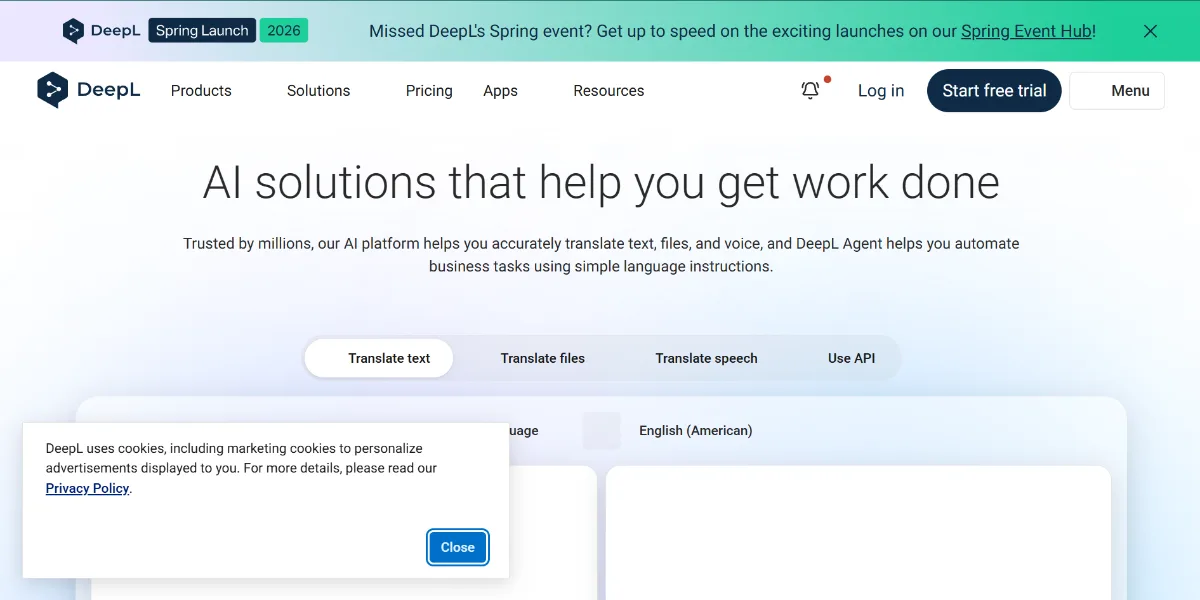
DeepL is a language-focused SaaS product built around translation, writing improvement, and live communication across languages. The official site positions it as a tool for translating text, documents, and images, refining writing with style and tone controls, supporting voice translation for meetings and conversations, and helping teams work more securely with shared administration and SSO.
The typical workflow is simple: you paste text, upload a document, translate an image, or rewrite copy, then refine the output with glossary terms, formality, writing style, or tone settings. DeepL also offers platform coverage across web, desktop, mobile, and API-based workflows, which makes it useful both as a standalone app and as an integration layer inside other products.
Key Strengths
Translation quality with useful controls. DeepL’s core translator supports text translation, document translation, image translation, formality settings, and a built-in dictionary. That combination matters because users are not only converting words; they are trying to preserve meaning, tone, and terminology in real work.
Document and formatting handling. The official features page highlights document translation that keeps original formatting intact, which is valuable for contracts, reports, manuals, and marketing materials. For teams that regularly exchange finished files rather than plain text, this reduces cleanup time after translation.
Writing support beyond translation. DeepL Write adds alternatives, tracked edits, writing styles, and tone of voice options such as enthusiastic, friendly, confident, or diplomatic. That makes the product useful when the problem is not just translation accuracy, but making the result sound appropriate for clients, colleagues, or external audiences.
Business-oriented controls. DeepL Pro adds unlimited text translation and improvements, higher file translation capacity, expanded glossaries, maximum data security, CAT tool integration, team administration, and SSO. Those features make it easier to standardize language work across an organization rather than treating translation as an isolated task for one person.
Real Use Cases
- Cross-border sales emails: A sales rep writes one message and adapts it for prospects in several countries. DeepL helps preserve tone while making the wording sound natural in the target language, which is better than relying on literal translation alone.
- Contract and policy review: A legal or operations team uploads a document to translate it while keeping the layout intact. That is useful when the team needs the structure of the original file to remain readable during review.
- Marketing localization: A content marketer translates landing page copy and then adjusts formality and tone so the message still feels on-brand. The glossary feature helps keep product names and campaign terms consistent across markets.
- Support team workflow: A customer support agent uses DeepL to understand incoming tickets in another language and craft a reply that sounds polite and clear. The writing tools help the answer feel less machine-generated and more professional.
- Internal global meetings: A distributed team uses DeepL Voice for Meetings to follow live captions during a multilingual call. That is especially helpful when participants are comfortable speaking but not equally fluent in the same language.
Best For
- Freelancers translating client documents who want a cleaner result than basic machine translation and need some control over tone and terminology.
- Localization teams maintaining consistent product language with glossaries and document translation in a repeatable workflow.
- Companies that need team administration, SSO, and stronger data handling around translation work.
- Content teams rewriting multilingual copy for websites, email campaigns, or support content without losing brand voice.
- Uncommon use case: Multilingual internal policy drafting, where a compliance or HR team needs one policy to read consistently across different regional offices without rebuilding the file from scratch.
Who Should Look Elsewhere
- If you need a broad AI workspace for chat, research, coding, or automations, ChatGPT is a better fit because DeepL is specialized around language tasks.
- If your main need is live web-connected research and source-grounded answers, Perplexity is more appropriate than a translation-first tool.
- If your team wants document-heavy collaboration and database-style workflows in one place, Notion AI fits better than DeepL.
Limitations
- DeepL is specialized, so it does not replace a general AI assistant for ideation, coding, or research-heavy workflows.
- Voice products are sold separately and pricing is tailored by sales, which makes total cost harder to estimate than on the standard translation plans.
- The official features page emphasizes translation and writing, but it does not position DeepL as a full project management or collaboration suite.
- Recent product updates focus heavily on Voice and enterprise communication, but that does not remove the fact that most users still need another tool for adjacent work like CRM, documentation systems, or task management.
Pricing Overview
DeepL’s consumer and team translation plans are centered on DeepL Pro, while API and voice products follow separate pricing paths. The official support pages confirm DeepL Pro, DeepL API Free, DeepL API Pro, DeepL Voice for Meetings, DeepL Voice for Conversations, and DeepL for Enterprise, and the voice pages state that pricing is tailored and requires contacting sales.
For the standard SaaS plans, the official site should be checked directly for current plan names and region-specific prices before purchase because DeepL presents some pricing and usage terms separately by product family. Based on the verified official pages available here, enterprise and voice offerings are contact-for-pricing, while the translation and API products are split into free and paid tiers with usage and security differences. Pricing last verified: April 2026.
Our Assessment
DeepL is one of the more focused language tools on the market because it stays close to a clear job: translating, rewriting, and communicating across languages with fewer friction points than a general chatbot. That focus is a real strength. The product has obvious polish in its translation workflow, document handling, glossary support, and tone controls, and those features are directly useful to anyone doing recurring multilingual work rather than casual one-off translation.
Its reliability is strongest when the task is bounded: a document, a message, a glossary term set, or a meeting captioning workflow. The web experience and adjacent apps make it easy to use, and the business features such as SSO, team administration, and CAT tool integration make sense for professional environments. The tradeoff is that DeepL’s narrow scope can feel restrictive if you want one tool to cover translation, chat, writing, research, and automation. In that case, its quality may still be appealing, but the value proposition gets weaker because you will still need other software around it.
Value for money depends heavily on how often translation is part of your actual workflow. For a freelancer, localization specialist, support lead, or international operations team, the time saved through better formatting retention, glossary control, and writing refinement can justify the cost. For occasional users, the free experience may be enough, but the platform becomes much more compelling once you need professional consistency, security controls, or higher-volume usage that goes beyond casual translation.
Top Alternatives
- Google Translate — Choose it when you want fast, low-friction translation for everyday use and do not need DeepL’s stronger writing and terminology workflow.
- ChatGPT — Choose it when translation is only one part of a broader need that also includes drafting, analysis, coding, or brainstorming.
- Microsoft Translator — Choose it when your organization is already centered on Microsoft tools and you want translation features embedded in that ecosystem.
Frequently Asked Questions
Q: Does DeepL keep document formatting when translating files?
Yes, the official features page says document translation keeps the original formatting intact. That is one of the main reasons DeepL is useful for contracts, reports, and marketing files.
Q: Can DeepL translate images like screenshots or menus?
Yes, image translation is listed as an official feature. That makes it useful for signs, screenshots, photos of printed text, and other visual language tasks.
Q: What is DeepL Write used for?
DeepL Write helps you rewrite text with alternatives, tracked edits, writing styles, and tone of voice options. It is meant for improving clarity and fit for audience, not just converting between languages.
Q: Does DeepL have team features for business use?
Yes, the features page lists team administration, SSO, expanded glossaries, CAT tool integration, and higher security controls under DeepL Pro. Those are aimed at companies rather than casual users.
Q: What does DeepL Voice do?
DeepL Voice provides live voice translation for meetings and conversations, with support shown for meetings and mobile conversation use on the official site. It is designed for real-time multilingual communication rather than text-only translation.
Last reviewed: April 2026. Features and pricing are subject to change — always verify on the official website at https://deepl.com.
Screenshots
 1/1
1/1Key Features
Pricing Plans
DeepL Pro
Contact for pricing
DeepL API Free
$0/mo
DeepL API Pro
Contact for pricing
DeepL Voice for Meetings
Contact for pricing
DeepL Voice for Conversations
Contact for pricing
DeepL for Enterprise
Contact for pricing
User Reviews
0 reviews · 0.0 avg rating
Be the first to review DeepL
Help the community by sharing your honest experience with this tool.
Write a Review