

Adobe Podcast
Professional-grade audio production right in your browser, powered by Adobe AI.
What is Adobe Podcast?
Is This Tool Right For You?
Finding the right audio production tool depends heavily on your technical skill level and your specific output goals. Here is the breakdown for Adobe Podcast in 2026:
- ✓ Solo Creators: If you record in a home office with less-than-ideal acoustics, the AI enhancement is a lifesaver.
- ✓ Remote Interviewers: Perfect for those who need to record guests across the globe without worrying about local storage or complex setups.
- ✓ Non-Technical Editors: If you can edit a Word document, you can edit a podcast here using the transcript-based interface.
- ✓ Marketing Teams: Ideal for producing high-quality social snippets and internal comms quickly without a dedicated sound engineer.
- × Professional Audio Engineers: Those who require VST plugin support, granular waveform manipulation, or offline reliability will find the browser-based nature limiting.
- × Users with Unstable Internet: Since this is a cloud-first platform, a spotty connection can disrupt your recording or editing flow.
Quick Verdict
Adobe Podcast has evolved significantly by 2026, transitioning from a simple AI noise-reduction experiment into a comprehensive, browser-based digital audio workstation (DAW). Its "Enhance Speech" feature remains the industry gold standard for turning "bedroom recordings" into studio-quality audio. While it lacks the deep, surgical editing tools found in Adobe Audition, its transcript-based editing and new video recording capabilities make it the most efficient choice for 90% of modern content creators. It is the bridge between amateur recording and professional output, offering a friction-free path to high-quality audio without the steep learning curve of traditional software. If you value speed and AI-driven clarity over manual control, this is your best bet.
What Adobe Podcast Does
Adobe Podcast is a web-based suite of tools designed to democratize high-end audio production. At its core, it leverages Adobe's advanced AI models to solve the two biggest problems in podcasting: poor recording environments and tedious editing workflows. The platform operates entirely in the browser, meaning there is no heavy software to install, making it highly accessible for collaborators and remote guests.
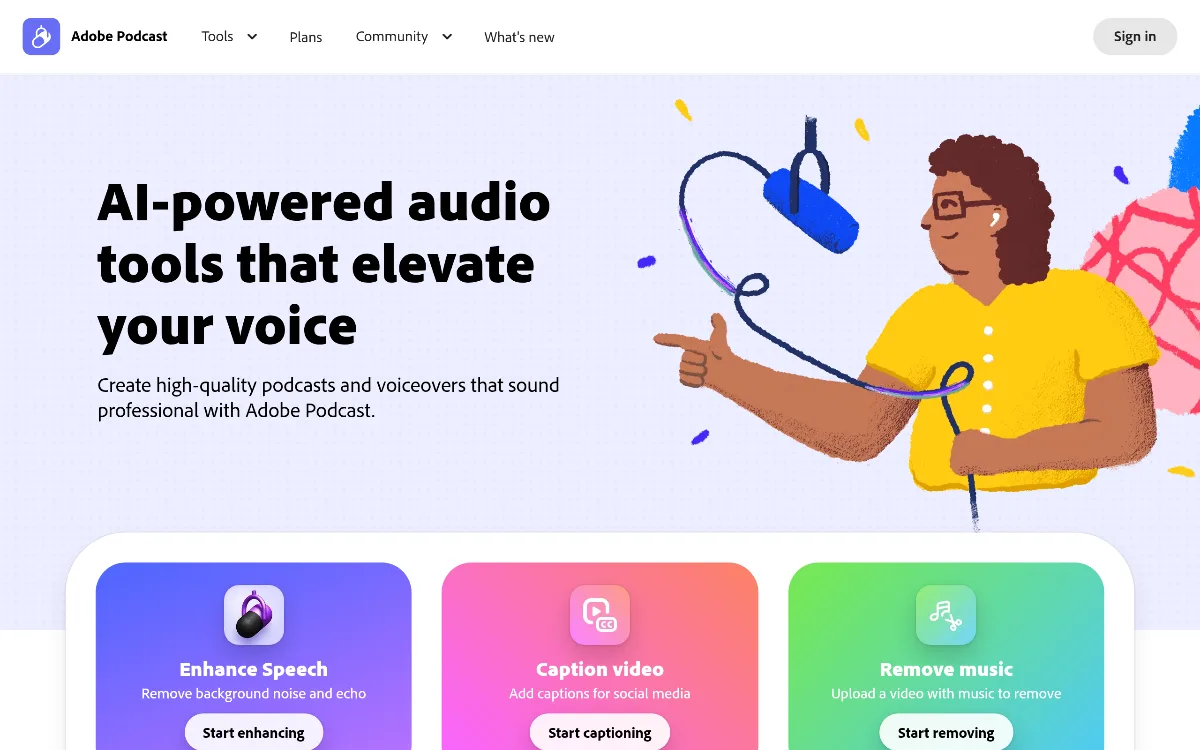
The workflow typically begins with "Mic Check," an AI diagnostic tool that analyzes your setup and tells you how to improve your microphone placement and gain before you hit record. Once recording starts in the "Studio," the platform captures high-fidelity audio (and now video) from you and your remote guests. The magic happens in post-production: the AI generates a near-instant transcript of your session. You can then edit the audio by simply deleting or moving text in the transcript. Combined with the "Enhance Speech" engine—which removes background noise, echo, and reverb while balancing voice levels—the tool effectively turns any room into a professional recording booth.
Key Strengths
Industry-Leading AI Audio Enhancement: The "Enhance Speech" feature is arguably the best in the market as of 2026. It doesn't just muffle noise; it intelligently reconstructs voice frequencies to remove echo and reverb, making a phone recording sound like it was captured on a $500 XLR microphone. This is a game-changer for field reporters and casual creators who can't always control their environment.
Text-Based Editing Workflow: Traditional waveform editing is intimidating and slow. Adobe Podcast allows you to edit audio by editing text. If a guest says "um" or goes on a tangent, you simply highlight the text in the transcript and hit delete. The audio is seamlessly spliced, saving hours of manual labor and making the editing process accessible to anyone who can use a text editor.
Frictionless Remote Collaboration: The "Studio" feature allows you to invite guests via a simple link. It records each participant locally to ensure high quality, then syncs the tracks in the cloud. This eliminates the "double-ender" headache where guests have to record their own audio and send it to you later via file-sharing services.
Proactive Quality Control with Mic Check: Most audio issues are better prevented than fixed. The Mic Check tool provides real-time feedback on your microphone distance, gain levels, and background noise floor. This ensures that even the most tech-illiterate guests can optimize their setup before the recording begins, resulting in a much better raw file for the AI to process.
Real Use Cases
Indie Podcaster Building a Brand: A solo creator recording in a noisy apartment uses Enhance Speech to remove the sound of a nearby air conditioner, ensuring their show sounds professional enough to attract sponsors.
Corporate Communications Manager: A marketing lead needs to turn a CEO's rough voice memo into a polished internal update. They use the transcript editor to quickly cut out filler words and the Enhance Speech tool to give the audio a "broadcast" feel.
Remote Educator Hosting Guest Lectures: A professor records interviews with experts worldwide using the Studio feature. The automated transcription allows them to provide accessible text versions of the lectures for students immediately after recording.
Social Media Manager Creating Clips: Using the 2026 video recording and captioning features, a creator records a short interview and generates burnt-in captions for TikTok and Instagram Reels directly within the platform.
True Crime Producer: A storyteller uses the multitrack editing workflow to layer atmospheric music (and use the music removal tool on source files) to create a high-production-value narrative podcast without leaving their browser.
Best For
- Remote Interviewers: Anyone who regularly hosts guests from different locations and needs a stable, high-quality recording environment without asking guests to install software.
- Efficiency-First Creators: Users who want to go from raw recording to a finished, polished episode in minutes rather than hours.
- Budget-Conscious Professionals: Smaller teams who need professional results but can't afford a full-time audio engineer or expensive studio rentals.
- Education and Non-Profits: Organizations that need to produce clear, accessible audio and video content with limited technical staff.
Who Should Look Elsewhere
- Professional Sound Designers: If your workflow involves complex layering, MIDI, or specific VST plugins, you should stick to Adobe Audition or Pro Tools.
- High-End Video Editors: While Adobe Podcast now supports basic video, those needing multi-camera synchronization for complex visual storytelling should look at Autopod or Premiere Pro.
- All-in-One Browser Enthusiasts: Users who want a massive library of royalty-free assets and advanced video features in one place might prefer Podcastle.
Limitations
Internet Dependency: As a browser-based tool, your ability to edit and process audio is entirely dependent on your internet connection. Large file uploads can be slow on weaker networks.
Processing Caps on Free Tiers: The free plan is generous but strictly limited to 1 hour of enhancement per day and has a 4-hour total file length limit, which might not suffice for daily creators.
Adobe ID Requirement: You cannot use the tool anonymously; an Adobe account is mandatory even for the free features, which might be a barrier for some guest collaborators.
Audio-Centric Roots: While video features were added in the March 2026 update, the platform still feels like an audio tool first. Video editing capabilities are currently basic compared to dedicated video editors.
Pricing Overview
Adobe Podcast offers a tiered pricing model that caters to everyone from hobbyists to enterprise-level creative teams. Here is the breakdown for 2026:
- Free Plan ($0/mo): Includes basic Enhance Speech (up to 1 hour per day), Mic Check diagnostics, and access to the Studio for multi-track recording. Files are limited to a 4-hour maximum length.
- Premium Plan ($9.99/mo): Unlocks unlimited Enhance Speech usage, higher file length limits, and the full transcript-based editor. This plan also includes priority processing in the cloud queue.
- Creative Cloud Single App ($22.99/mo): Includes all Premium features plus deep integration with Adobe Audition for those who need to jump between browser-based ease and professional-grade desktop editing.
- Creative Cloud All Apps ($59.99/mo): The full suite of 20+ Adobe apps, including Premiere Pro and Audition, with all Adobe Podcast Premium features included as part of the ecosystem.
Pricing last verified: March 2026.
Our Assessment
In 2026, Adobe Podcast has solidified its position as the premier entry point for high-quality audio. It successfully bridges the gap between the complexity of professional DAWs and the low quality of standard web recorders. The standout feature remains the AI-driven speech enhancement; it is simply better than the competition at removing room echo without making the voice sound robotic.
The ease of use is unparalleled. By focusing on a text-based editing interface, Adobe has removed the primary barrier to entry for new podcasters. However, it’s important to recognize that this is a specialized tool. It is not meant to replace a full music production suite, nor is it a heavy-duty video editor. It is a precision tool for voice-first content. For solo creators and small marketing teams, the value for money is exceptional, especially considering how much time is saved in the editing booth. The recent 2026 additions of video recording and captioning show that Adobe is listening to the market's shift toward multi-modal content, making this a future-proof choice for modern creators.
Top Alternatives
Podcastle — Choose Podcastle when you need an all-in-one browser-based studio with a larger built-in library of music and sound effects.
Autopod — Choose Autopod when you are a video-first creator using Premiere Pro and need to automate multi-camera switching.
Adobe Audition — Choose Audition when you need professional-grade, non-destructive editing and granular control over every frequency.
Frequently Asked Questions
Q: Do my guests need an Adobe account to join a recording session?
While the host must have an Adobe ID to create a project, guests can typically join a Studio recording session via a shared link. However, to access the full suite of enhancement tools themselves, they would need their own account.
Q: Can I use Adobe Podcast for video editing in 2026?
Yes, as of the March 2026 update, Adobe Podcast Studio supports video recording and basic video editing. You can now add captions and perform simple cuts, though it is not a replacement for a full video editor like Premiere Pro.
Q: Is the "Enhance Speech" feature available for free?
Yes, Adobe offers a free tier for Enhance Speech, but it is capped at approximately 1 hour of processed audio per day and has limits on individual file sizes.
Q: How does the transcript editing work?
The AI automatically converts your audio into text. When you delete a word or a sentence from that text, the corresponding audio is automatically cut from the track. It also allows you to search for specific words to find moments in your recording instantly.
Q: Can I export my projects to other Adobe software?
Absolutely. Adobe Podcast is designed to integrate with the Creative Cloud ecosystem. You can export your projects to Adobe Audition for more advanced mixing and mastering if you have a Single App or All Apps subscription.
Last reviewed: March 2026. Features and pricing are subject to change — always verify on the official website.
Screenshots
 1/1
1/1Key Features
Pricing Plans
Free
$0/mo
Premium
$9.99/mo
Creative Cloud Single App
$22.99/mo
Creative Cloud All Apps
$59.99/mo
Top Adobe Podcast Alternatives & Competitors
Explore the best similar tools and how they compare.
Professional-grade songs from text prompts in under 60 seconds.
User Reviews
0 reviews · 0.0 avg rating
Be the first to review Adobe Podcast
Help the community by sharing your honest experience with this tool.
Write a Review