
FI
Figma
The collaborative interface design tool that connects product teams everywhere.
0.0(0 reviews)
8,130 views
WebDesktopWhat is Figma?
Quick VerdictFigma is the undeniable industry standard for user interface and user experience design in 2026. It perfectly serves modern product teams who need seamless collaboration and robust design systems. If you work solo on print materials or require heavy photo manipulation, you should look at other dedicated tools.What Figma DoesFigma is a cloud based vector graphics editor and prototyping tool primarily used for designing user interfaces for web and mobile applications. It solves the fragmentation problem in design workflows by bringing everything from wireframing to developer handoff into one centralized environment. Designers can create interactive prototypes that mimic the final product, allowing stakeholders to test and provide feedback before writing a single line of code. The platform operates entirely in the browser, which means anyone can open a link and immediately view or inspect the designs without installing specialized software. This accessibility has democratized the design process, allowing anyone with a web link to review and comment on progress.Key StrengthsReal time collaboration remains the cornerstone of the Figma experience. Multiple team members can jump into the exact same file simultaneously, complete with colorful cursors flying around the screen. This eliminates the dreaded file versioning nightmare that plagued earlier generations of design software. Product managers, writers, and developers can all contribute directly in context, leaving comments precisely where changes need to happen. This collaborative foundation fundamentally shifts design from a solitary task into an inclusive team conversation.The component and variable systems are exceptionally powerful for building scalable design systems. Designers can define universal properties for colors, spacing, and typography that instantly update across hundreds of screens when modified. The introduction of advanced variables has further allowed teams to create adaptive themes, such as dark mode and light mode, with incredible precision and minimal repetitive work. When a brand color changes, you only need to update the core variable, and the entire ecosystem reflects the new identity immediately.Dev Mode bridges the historical gap between design and engineering. It transforms the canvas into a specialized workspace where developers can inspect elements, extract measurements, and generate production ready code snippets in CSS, iOS, and Android formats. This targeted view removes the clutter of design tools and focuses strictly on the technical specifications needed for implementation. Developers no longer have to guess about padding or hex codes, leading to faster build times and higher fidelity end products.The expansive plugin ecosystem acts as a massive force multiplier. Whether you need to populate mockups with realistic data, check color contrast for accessibility compliance, or export assets to specific formats, there is almost certainly a community built plugin available. This constant influx of third party innovation ensures the core platform never feels stagnant. Users can easily install plugins with a single click, customizing their workspace to perfectly match their specific project requirements without waiting for official feature releases.Best ForCross functional product teams needing a unified workspace.Designers building comprehensive and scalable design systems.Agencies sharing interactive prototypes with clients for rapid approval.Developers requiring exact specifications and code translation.Uncommon use case: Presentation decks and interactive pitch materials created using advanced prototyping animations.Who Should Look ElsewherePrint designers working on brochures or magazines. Adobe InDesign is the superior choice for desktop publishing and print preparation.Photographers and digital artists needing pixel level manipulation. Adobe Photoshop remains the standard for raster editing.Users with strictly offline environments. Sketch offers a native Mac application that handles offline work beautifully without needing a constant internet connection.LimitationsBrowser constraints can cause significant lag when working within exceptionally large files containing hundreds of complex screens.The offline mode is highly restrictive, meaning you cannot access unsaved files or search libraries without an active internet connection.Text formatting options are relatively basic compared to dedicated publishing software, lacking advanced typographic controls.The pricing model for enterprise teams can escalate quickly once you start adding dedicated Dev Mode seats and FigJam licenses alongside core designer seats.Pricing OverviewFigma offers a generous Free Starter plan that gives individuals ample room to learn and create basic projects. The Professional tier unlocks unlimited files and advanced project permissions, making it the best value for small to medium teams. Larger organizations will need the Organization or Enterprise plans for advanced security, centralized library management, and strict access controls. Pricing last verified: April 2026.Our AssessmentFigma continues to justify its position at the top of the design software hierarchy. The platform is highly reliable, incredibly intuitive for new users, and packed with enough feature depth to satisfy the most demanding enterprise design teams. The sheer value provided by the unified ecosystem outweighs the occasional performance hiccups associated with browser based applications. It is an indispensable tool for modern software creation.Top AlternativesPenpot: Choose this open source alternative if your team prefers self hosted solutions and uses SVG as the native format.Sketch: Choose this if you operate exclusively in the Apple ecosystem and prioritize native performance over browser flexibility.Framer: Choose this if you want to design and publish live websites instantly without handing files off to a separate web development team.Frequently Asked QuestionsQ: Does Figma work on Windows computers?Yes, it works natively in any modern web browser across Windows, Mac, and Linux. There is also a dedicated desktop application available for Windows and Mac that offers additional features like local font access.Q: Can I use Figma without paying?Yes, the Starter plan is completely free and allows you to create three collaborative design files. It is an excellent way for students and solo freelancers to build a portfolio without any financial commitment.Q: What is the difference between Figma and FigJam?Figma is the primary tool used for precise vector design, user interface creation, and interactive prototyping. FigJam is a digital whiteboard companion tool meant for brainstorming, user journey mapping, and early stage team planning.Q: How does Dev Mode change the workflow?Dev Mode provides a specialized interface specifically tailored for software engineers. It highlights essential measurements, exports production ready code snippets, and integrates directly with tools like VS Code to streamline the handoff process.Last reviewed: April 2026. Features and pricing are subject to change, always verify on the official website.
Screenshots
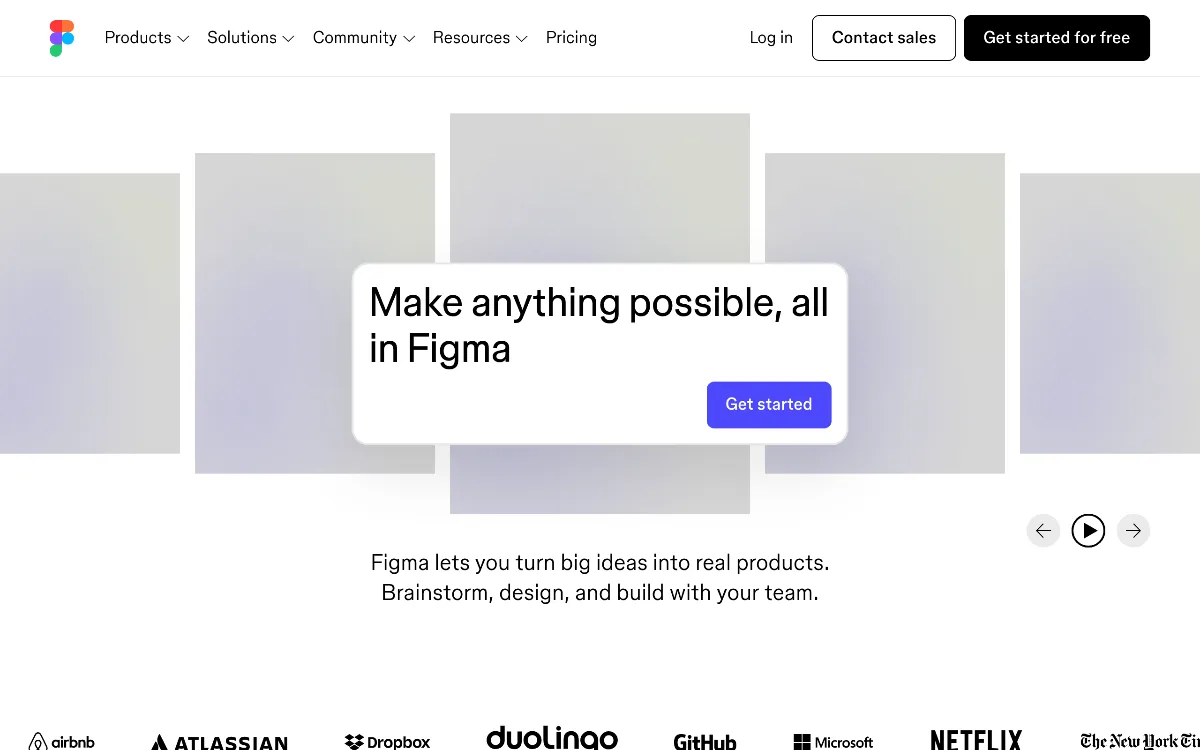 1/1
1/1Key Features
Auto Layout
Components
Variants
FigJam
Dev Mode
Advanced Prototyping
Shared Libraries
Plugins ecosystem
Design Variables
Version History
Pricing Plans
Starter
$0/mo
MOST POPULAR
Professional
$12/mo
Organization
$45/mo
Enterprise
$75/mo
Top Figma Alternatives & Competitors
Explore the best similar tools and how they compare.

User Reviews
0 reviews · 0.0 avg rating
Be the first to review Figma
Help the community by sharing your honest experience with this tool.
Write a Review